Table of Contents
YandexGPT is Yandex's family of text-generation models for Russian-language and general business tasks. Companies can use the models through Yandex Cloud AI Studio, while consumers encounter related AI features through Alice and other Yandex services. The products share technology, but their access methods, data controls, prices, and intended uses are not interchangeable.
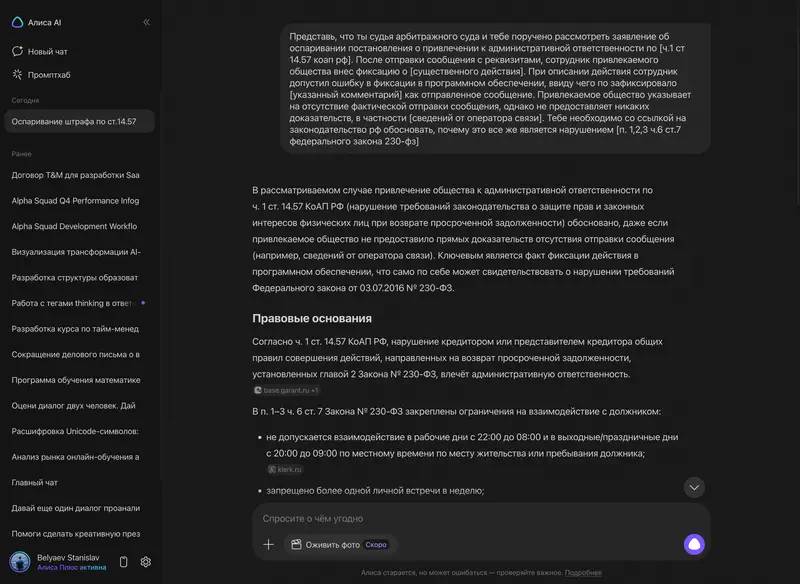
Where YandexGPT is available
- Yandex Cloud AI Studio: managed APIs and a playground for testing text, image, speech, search, and other AI capabilities in applications.
- Alice: Yandex's consumer assistant, available through supported apps, browsers, speakers, and other devices.
- Yandex 360 for Business: collaboration products in which Alice Pro can assist with supported document and spreadsheet tasks.
- Yandex Browser and consumer services: features such as page summaries or content assistance, depending on region and product version.
For a business integration, AI Studio is the relevant starting point because it provides documented model identifiers, APIs, authentication, quotas, and billing. A feature available free in a consumer Alice chat does not imply free API use or the same privacy terms.
YandexGPT and Alice AI model choices
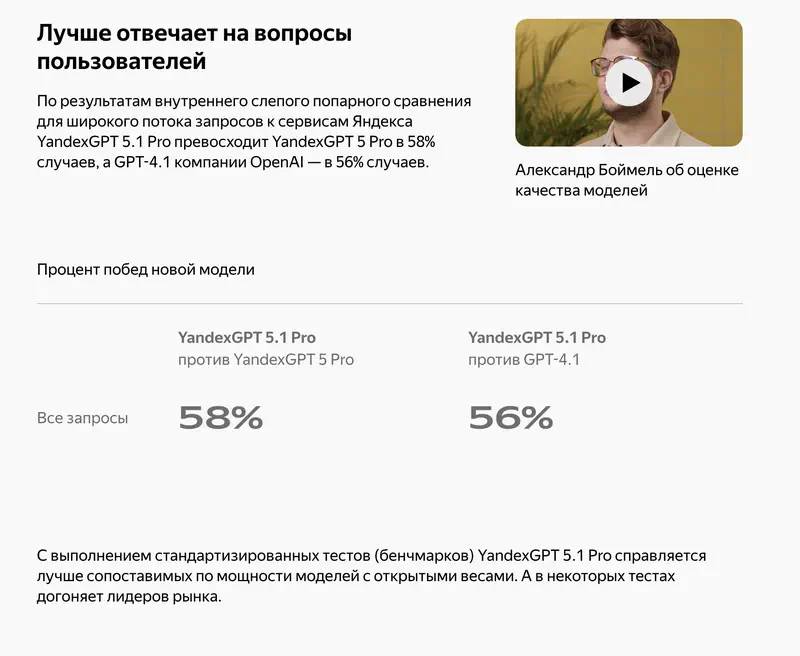
Yandex Cloud's model catalog changes over time. At the time of review, it lists YandexGPT Pro 5.1 as a common text-generation model and also lists Alice AI LLM variants. YandexGPT Lite models remain useful where lower latency and cost matter more than maximum capability.
- YandexGPT Pro: intended for more demanding generation, summarization, extraction, and reasoning tasks.
- YandexGPT Lite: a smaller option for high-volume classification, short responses, and straightforward automation; selected Lite models can be fine-tuned with LoRA.
- Alice AI LLM variants: newer catalog models exposed through supported AI Studio APIs, with capabilities and context limits documented per model.
Do not hard-code a marketing name alone. AI Studio uses versioned model URIs, and older branches can be deprecated while aliases move to newer versions. Record the exact model URI in your deployment and test an upgrade before changing it.
Capabilities businesses can build with AI Studio
- Russian-language chatbots and internal support assistants
- Drafting, rewriting, summarizing, and classifying text
- Extracting structured information from documents
- Retrieval-augmented assistants that answer from approved company sources
- Translation, speech, OCR, and search workflows by combining other Yandex Cloud services
- Batch processing for repetitive, clearly testable language tasks
AI Studio offers its own SDK and documented APIs, including OpenAI-compatible interfaces for selected models. Compatibility reduces integration work, but it does not make model behavior, parameters, quotas, or tool support identical to OpenAI's services.
Shedevrum and image generation


Shedevrum is a Yandex consumer service for generating and sharing visual content. For production applications, businesses should evaluate the image models and APIs currently listed in AI Studio rather than assuming the consumer app's formats, rights, or limits apply to API output. Check the applicable service terms before using generated media commercially.
Alice Pro in Yandex 360 for Business
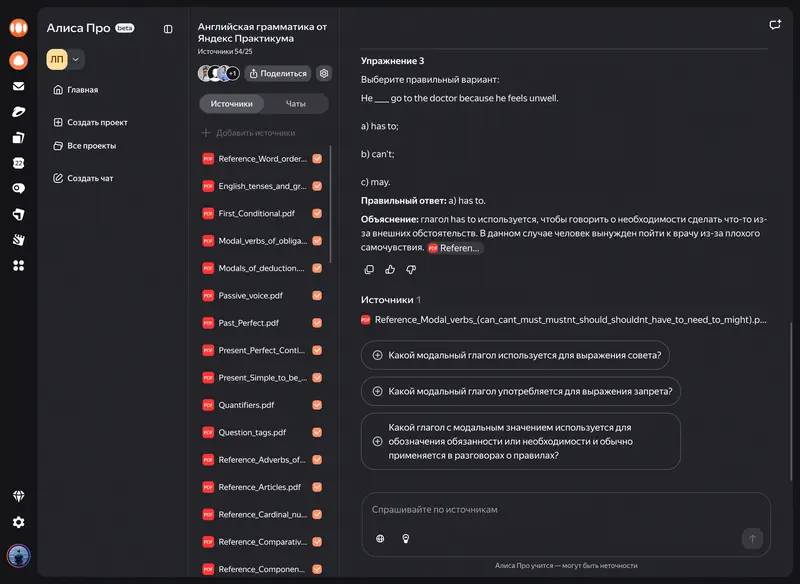
Alice Pro is integrated into supported Yandex 360 applications. For example, Yandex describes spreadsheet assistance for analyzing selected data, drafting responses, translating text, and creating product descriptions. It is a workspace feature, not a drop-in replacement for a custom AI Studio application.
Before enabling it for a team, confirm which subscription includes the feature, which files it can access, how administrators control availability, and which service terms govern submitted business data.
Pricing and context limits
AI Studio pricing is usage-based and varies by model, operating mode, tokens, and additional tools. Context-window sizes also differ by model and branch. For example, the current catalog documents YandexGPT Pro 5.1 and Alice AI variants separately rather than assigning one context limit to the entire platform.
Because rates and model availability can change, calculate costs from the current AI Studio pricing page and confirm the chosen model in the current model catalog. Include input, output, retries, retrieval, speech, and other tool calls in the estimate.
How to evaluate YandexGPT for a business
- Define the task and language mix. Build a representative set of Russian and non-Russian inputs, including difficult edge cases.
- Choose a model by measured quality and cost. Test Pro, Lite, and relevant Alice AI models on the same rubric instead of relying on vendor benchmark percentages.
- Check regional access and compliance. Confirm service availability, contracting entity, payment options, data location, retention, and cross-border requirements for your organization.
- Protect sensitive data. Remove unnecessary personal or confidential information, use least-privilege service accounts, and keep credentials in a secrets manager.
- Validate outputs. Require human review for legal, financial, medical, safety-critical, or externally published material. A fluent Russian response can still be inaccurate.
- Plan for model changes. Pin versions where supported, monitor deprecation notices, and rerun evaluations before upgrades.
Strengths and limitations
YandexGPT is most compelling for organizations already using Yandex Cloud or Yandex 360 and for workflows centered on Russian-language content. The surrounding cloud offers speech, OCR, translation, search, and development tools that can simplify an integrated solution.
Potential drawbacks include regional availability, a smaller international integration ecosystem, model-version churn, and dependence on Yandex services. Claims that one model “beats” another should be treated cautiously unless the test data, scoring method, versions, and completion rates are published. The right choice is the model that meets your own accuracy, latency, compliance, and cost requirements on representative data.
Related Articles
 Online Scheduling and Its Benefits for Businesses: What to Know12 minutes read
 Breeding Strategy for the Platform - Solving Chicken and Egg6 minutes read
 What Is Uno Platform?6 minutes read
 Top AI Tools for Businesses7 minutes read
 Microsoft Launches New Marketplace Platform Dedicated to Selling AI Apps And4 minutes read
 3 Key Elements for Building an Effective AI Strategy for Businesses in 20266 minutes read
Reader Comments 0
Sign in with email or Google to join the discussion.