Table of Contents
Redeem a Valorant promotional code through Riot’s official redemption page unless the promotion specifies another Riot-owned route. These codes may unlock cosmetics such as player cards, titles and gun buddies. Check the promotion’s end date before trying a code. A November 16, 2026, code check found no new public codes.
How to redeem a promo code
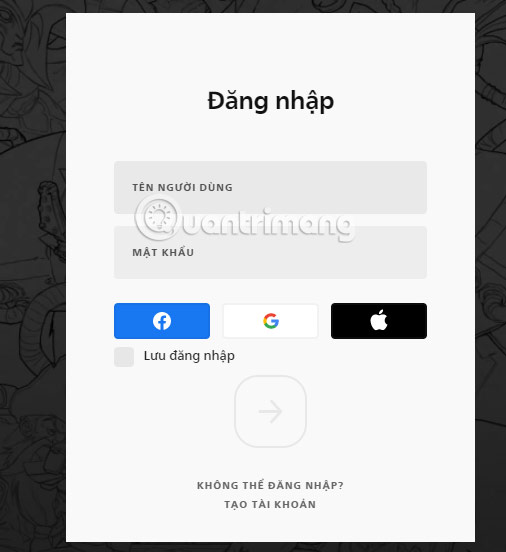
- Open the Riot redemption page and sign in with the Riot account you use for Valorant.
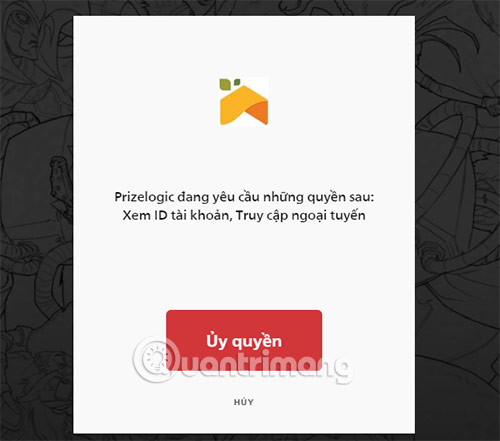
- Review the account shown and approve access if Riot prompts you.
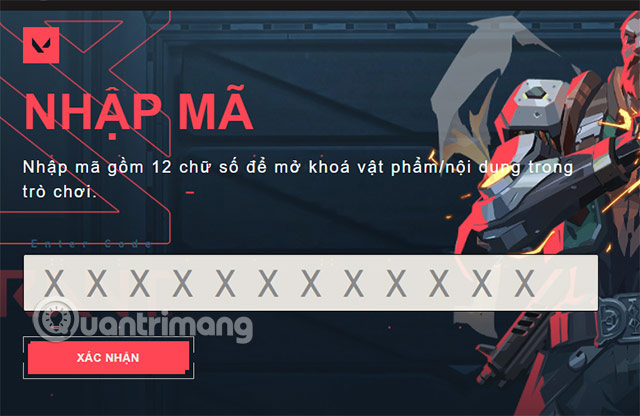
- Paste the code exactly as issued, including the hyphens, and confirm it.
- Look for Riot’s success message, then check the appropriate category in your in-game collection.
Redemption screenshots
These screenshots show an earlier version of the sign-in and confirmation flow.


Older Valorant codes and their rewards
Riot’s 2024 Pride announcement identified three different rewards and gave the offer a June 25 deadline.
| Archived code | Original reward | Status |
|---|---|---|
CC-VAL24-PLAYR-CARDS | Eight Pride player cards | Expired |
CC-VAL24-HEART-BUDDY | Tactibear Gun Buddy | Expired |
CC-VAL24-BETTR-2GTHR | Better Together title | Expired |
Why a valid-looking code can fail
Check for a trailing space and verify the event deadline and any regional restrictions. A code that has already been used on your Riot account may be rejected. If you are redeeming a paid gift card, follow the instructions on that card. Promotional cosmetic codes and paid currency codes may use different redemption options.






Reader Comments 0
Sign in with email or Google to join the discussion.