Table of Contents
There are no legitimate generic codes or generators that give everyone free Robux. Roblox's own support guidance says Robux must be purchased from Roblox or earned by creators. Lists that label old avatar-item or game-specific codes as “free Robux codes” are misleading and can send players toward phishing sites.
The codes previously listed on this page were not verified as current Robux rewards. Several were old promotional-item codes or codes used inside specific Roblox experiences, while others had no reliable source. They have been removed rather than presented as active currency codes.
Roblox code types are not interchangeable
| Code type | What it can provide | Where it is redeemed |
|---|---|---|
| Roblox gift card or official promotion | Roblox Credit, Robux, or a virtual item, depending on the code | Official Roblox redemption page |
| Toy or virtual-item code | A specific avatar or inventory item | Official Roblox redemption page |
| Experience-specific code | Rewards defined by one game, such as an item, boost, or in-game currency | Inside that experience's own code menu |
| Star Code | Supports a participating creator during a purchase | During an eligible Roblox purchase; it does not give the buyer free Robux |
A promo code may award a virtual item and an experience code may award that game's own currency, but neither should automatically be described as Robux. Availability and expiration can change without notice, so verify an offer through Roblox, the official experience page, or the developer's verified channel.
How to redeem a legitimate Roblox code
- Open Roblox.com/redeem in a web browser. Check the domain carefully before signing in.
- Sign in to the account that should receive the credit or item.
- Enter the gift card, virtual-item, or official promotional code exactly as printed.
- Select Redeem and wait for the confirmation message.
- Check the account balance or the correct Inventory category for the result.
Standard mobile and console apps may not provide the same redemption interface, so Roblox directs most users to the web page. A code can fail because it expired, was already redeemed, was typed incorrectly, belongs to a different redemption system, or is not genuine. Roblox's gift-card redemption instructions include common character substitutions and support steps.
Legitimate ways to obtain Robux
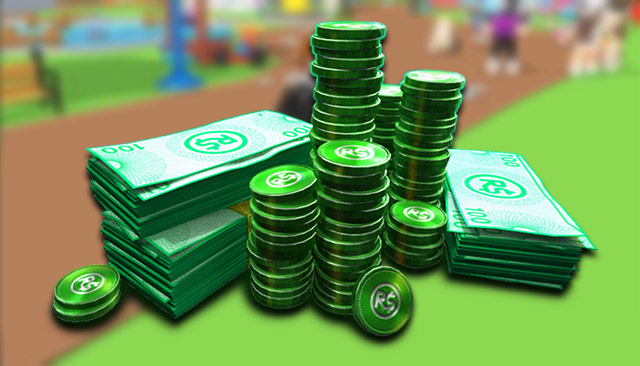
- Purchase Robux through Roblox. Use the official website, supported apps, or an authorized Roblox gift card. Ask a parent or guardian before purchasing if required.
- Receive the Robux included with an eligible subscription. Check the current Roblox Premium terms and billing details before subscribing.
- Earn Robux as a creator. Roblox supports earnings from experiences, eligible Marketplace items, passes, developer products, subscriptions, private servers, and other documented creator programs. Eligibility and platform fees apply.
See Roblox's current Ways to Get Robux page for the authoritative distinction between purchasing and creator earnings. TipsMake also has a practical overview of getting Robux into a Roblox account.
Experiences such as PLS DONATE let other players buy a creator's listed items or passes. That is a user purchase with platform rules and fees, not a free-Robux code. The PLS DONATE redemption guide explains the difference between experience codes and Robux donations.
What Robux can be used for
Robux can pay for eligible avatar items, experience passes and products, private-server access, and other purchases offered through Roblox. Creators may also spend Robux on supported creation or promotion features. Exact prices, eligibility, refund rules, and availability are determined by Roblox and individual experience creators.
Buying an item for another player or supporting a creator is not always a direct person-to-person currency transfer. Use only the purchase, gifting, group, or transfer mechanisms Roblox currently documents, and read the confirmation screen before spending.
How to recognize a free-Robux scam
- A site asks for a Roblox password, session cookie, two-factor code, or backup code.
- A “generator” asks you to complete surveys, download an app, run a script, or install a browser extension.
- The page imitates Roblox but the address is not an official roblox.com domain.
- A video or message promises unlimited Robux, a secret staff method, or a currency duplication glitch.
- Someone asks you to disable security settings, share your screen, or paste text into browser developer tools.
- An offer demands an upfront payment to unlock a larger “free” reward.
Roblox states that free-Robux generators and offers are scams. Do not test suspicious codes by entering account credentials on a third-party page. A legitimate public experience code should be entered only inside the relevant experience, and an official account code should be redeemed only through Roblox.
If you already used a suspicious site
- Change the Roblox password from a trusted device.
- Use account security settings to sign out of other sessions.
- Enable two-step verification and save recovery methods securely.
- Remove unknown browser extensions or downloaded programs and run a security scan.
- Review trades, purchases, email details, linked accounts, and recent sessions for changes.
- Contact Roblox Support through the official site if the account or purchases were affected.
Never share a full gift-card PIN or account recovery code in a public post. Roblox Support may request purchase evidence through its official support process, but an ordinary player, video creator, or “code checker” does not need your password or authentication codes.
Related Articles
 Legitimate Ways to Get Robux—and Avoid Free Robux Scams14 minutes read
 Get Free Robux on Roblox for Gamers: Step-by-Step Guide8 minutes read
 How to Get Free Robux, Get Free Robux in Roblox: Step-by-Step9 minutes read
 How to Buy Robux: Complete Guide5 minutes read
 Updated List of the Latest Free Fire Max Codes for 20267 minutes read
 How to Redeem Roblox Slap Codes and a List of the Latest Codes6 minutes read
Reader Comments 0
Sign in with email or Google to join the discussion.