Table of Contents
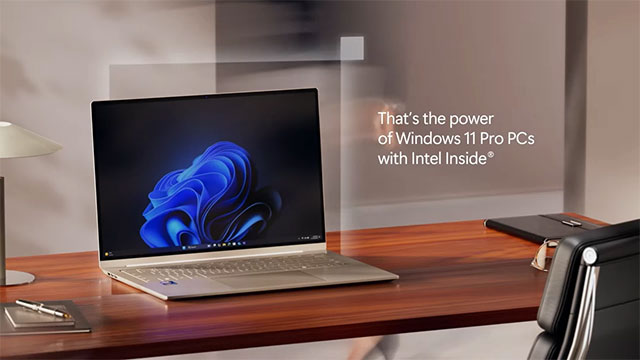
Windows 11 Pro supports eligible processors from both Intel and AMD. Microsoft’s “Right side of risk” video promoted Intel vPro PCs as an upgrade option for businesses. CPU compatibility still depends on the exact processor and the rest of the device, as listed in Microsoft’s requirements.
What the advertisement showed
The video encouraged businesses to move from Windows 10 to Windows 11 Pro on Intel vPro systems. It focused on one business PC platform and did not present a performance comparison with AMD Ryzen PRO. AMD also publishes guidance for moving to Windows 11 with Ryzen PRO.
Check the processor and the rest of the PC
- Find the exact processor model, including its suffix. A brand name alone won’t tell you whether it is supported.
- Compare that model with Microsoft’s processor requirements for the Windows version you plan to install.
- Verify the remaining requirements, including TPM 2.0 and Secure Boot capability, or use Microsoft’s PC Health Check on an existing PC.
Compare business PCs by the work they need to do
If your organization needs remote management, confirm which features are enabled on the exact PC and supported by your IT tools. For everyday performance, compare the available memory, storage, battery life, and tests that match your applications. Buy on the configuration and support you’ll actually use.
Related Articles
 Apple surpassed Intel because Intel just sat there
 Future Macs won't use Intel chips?
 Intel's 9th generation chip shows a new path, no need to follow Moore's law
 Learn about AMD chip lines? Are they better than Intel chips?
 Microsoft released an Intel chip patch
 Intel i7-9700K chip reaches 5.5Ghz speed on all 8 cores, with water cooled
Reader Comments 0
Sign in with email or Google to join the discussion.