Table of Contents
This step-by-step guide explains how to register 4g viettel sim is completely free. It covers the required setup, the main actions, and the checks that help prevent common problems.
Recently, Viettel has just announced the Upgrade Service To SIM 4GFree to use For active subscribers. If you intend to use the 4G network with outstanding fast data download speeds, you should not miss this opportunity. The program applies from December 27, 2016 to February 28, 2017, so please hurry up!
Viettel has officially launched a campaign to support users by innovating SIM 4G completely for free. This is the most specific move of Viettel to prepare for the national opening day of 4G service. There is a note when SIM 4G renewal campaign is only applied to customers who are using Viettel's network service
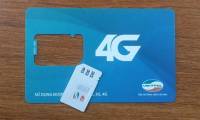
Viettel 4G SIM provided with 128KB capacity. This SIM can be used well on both 3G and 2G networks. How to log in straightforward and fast, you just take with you sim and ID card to the nearest Viettel store to be able to register SIM 4G and make information declaration in less than 2 minutes.
However, you should also Note that Viettel does not have a specific plan for the issuance of 4G network so currently 4G SIM is still only to "make scenes" at least until early 2017.
Free Content of SIM 4G Viettel Exchange Program
- Applied from December 27, 2016 to February 28, 2017.
- Do not change numbers and do not affect the mobile services in use.
- Applicable to customers who exchange 4G sim for the first time (except prepaid subscribers operating under 60 days from the activation date).
- You just need to bring your current ID card and SIM card to Viettel customer care centers where you live to register.
- New 4G SIM supports all lower networks like: 3G, 2G.
FAQ
What should I check before following these steps?
Confirm device and software compatibility, save important data, and make sure you have the required permissions, files, and account access.
Why might the process not work?
Common causes include outdated software, missing permissions, incompatible hardware, an unstable connection, or completing a step in the wrong order.
Can I undo the changes if necessary?
That depends on the tool or setting. Use built-in restore options when available, keep a backup, and record the original configuration first.
Related Articles
 How to Register for 3G Viettel Packages6 minutes read
 How to Change to Viettel Student Sim and Register for a 10GB5 minutes read
 How to Register for Postpaid Viettel6 minutes read
 How to Register 4G Viettel Package for Facebook and YouTube6 minutes read
 How to Check Phone, SIM Viettel, Current Position Supports 4G or Not6 minutes read
 How to Receive 10GB of Free Data When Changing SIM 4G Viettel5 minutes read
Reader Comments 0
Sign in with email or Google to join the discussion.