Table of Contents
This updated overview organizes the essential information about Information You Need to Know About Galaxy Watch 7 Ultra, including practical uses, key features, setup considerations, and common questions.
What This Guide Covers
- Appearance and display
- Efficiency
- Software
From the controversial new design and style to the newly added functionality, here's a detailed overview of everything you need to know about the Galaxy Watch 7 Ultra.
Appearance and display
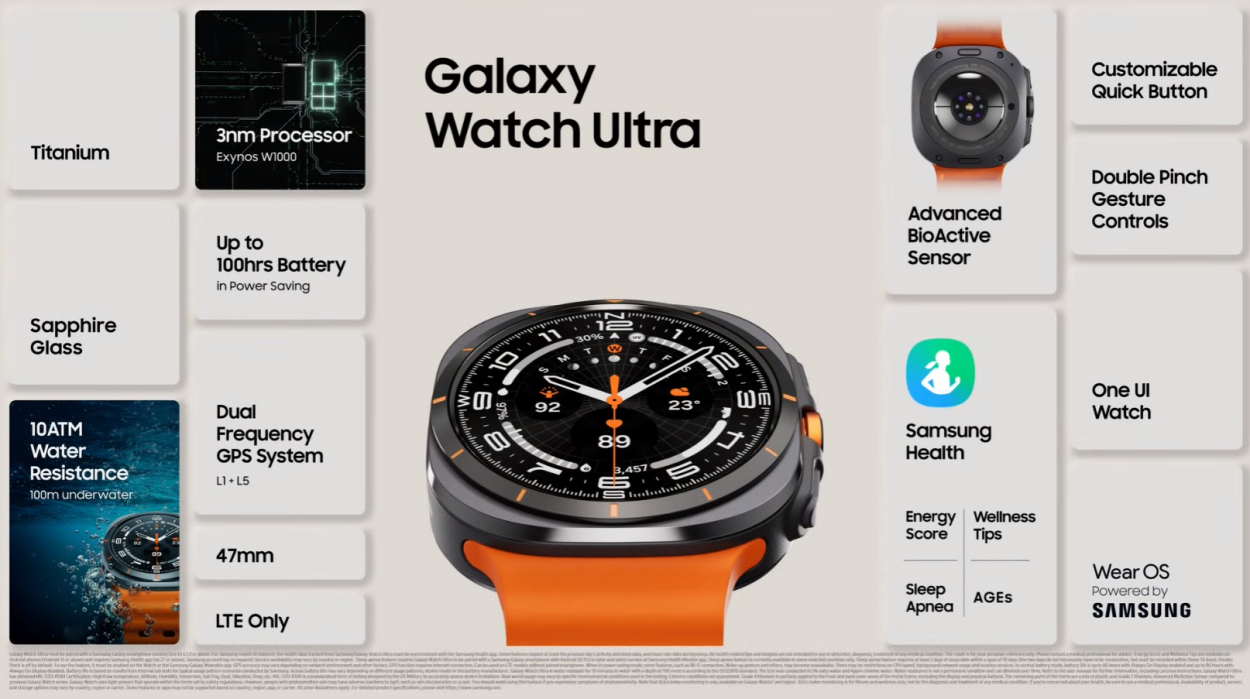
The case of the Galaxy Watch 7 Ultra uses Titanium. It has a square case with rounded edges around a circular display and a rotating bezel at the top. Unlike the regular Watch 7 which comes in two sizes, the Watch 7 Ultra only comes in 47mm. The overall dimensions of the watch are 47.4 x 47.1 x 12.1mm and weighs 60.5 grams.
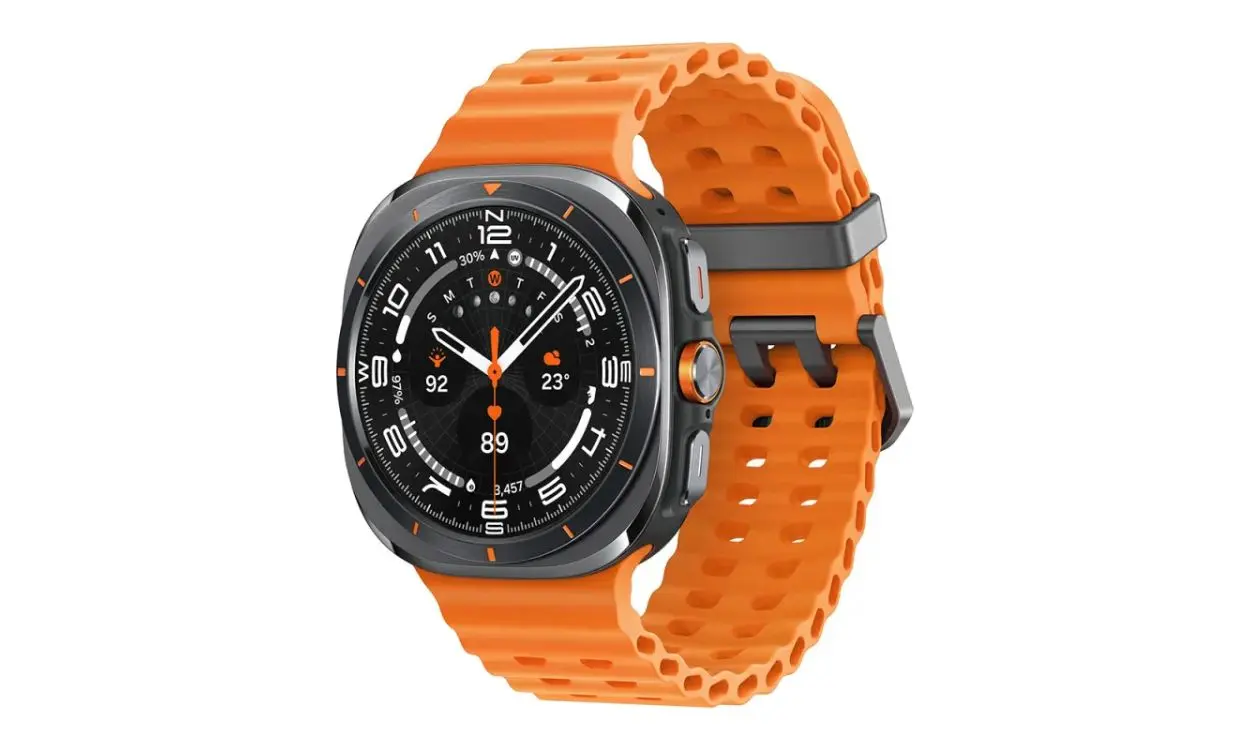
The Watch 7 Ultra has three buttons, all located on the right edge. There is no rotating crown and the button in the middle has a sensor to measure various health indicators. The strap closing mechanism on the Ultra is also different from the usual spring mechanism.
Like the Apple Watch, there is a button at the bottom to remove the band. Overall, design-related criticisms aside, the Watch 7 Ultra looks similar to the Apple Watch Ultra. It is also IP68 rated and MIL-STD-810H certified.
Galaxy Watch 7 Ultra has a 1.5-inch Super AMOLED screen with a resolution of 480 x 480 pixels. It is protected by Sapphire Crystal for added sturdiness.
Efficiency
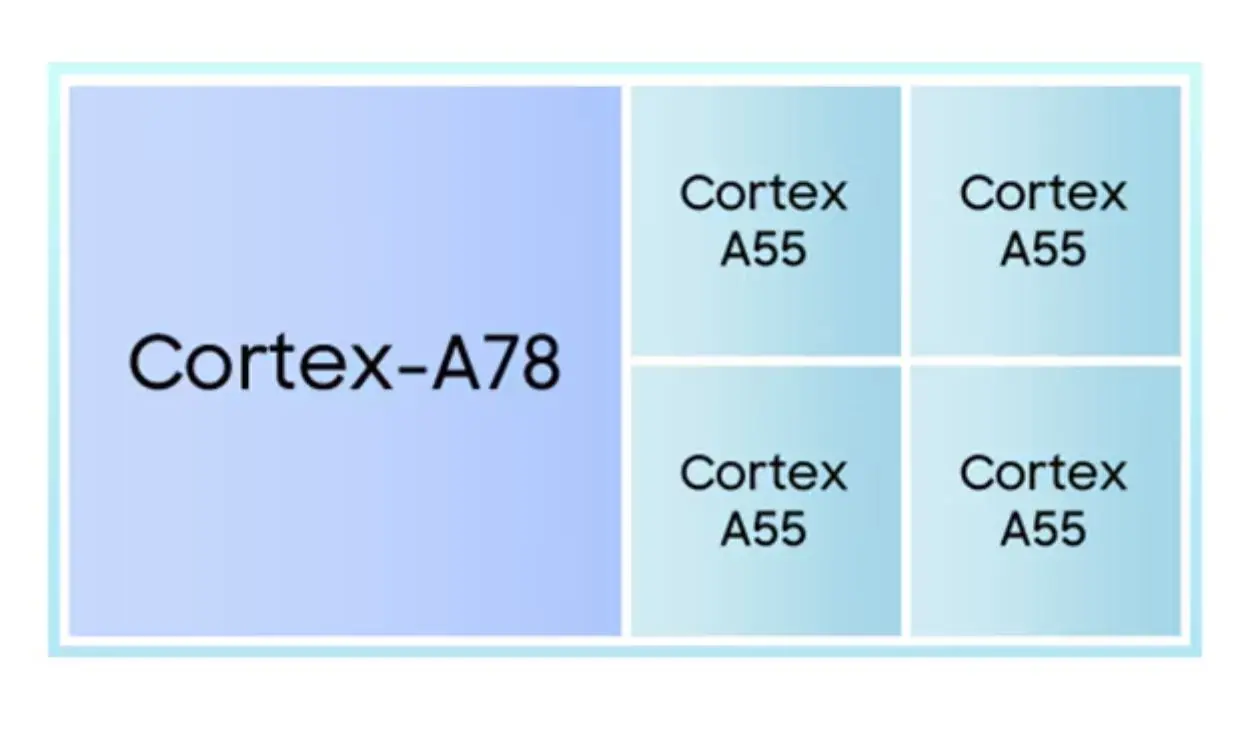
The Galaxy Watch 7 Ultra features Samsung's latest Exynos W1000 SoC built on Samsung's 3nm manufacturing process. The W1000 is a 5-core CPU with 1 x Cortex-A78 performance core at 1.6 GHz and 4 x Cortex-A55 performance cores at 1.5 GHz.
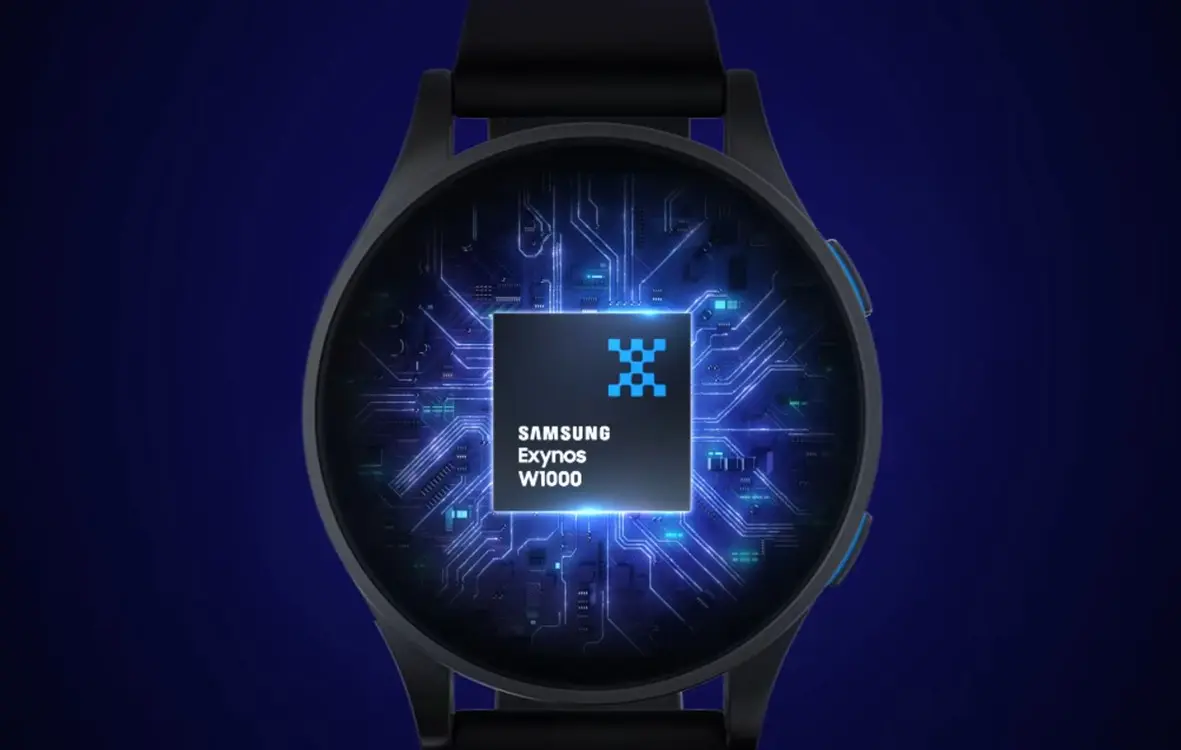
According to Samsung, the W1000 can open applications 2.7 times faster than the W930. Single-core performance is 3.4x better, while multi-core performance is improved 3.7x. These numbers need to be verified, but if Samsung's claims are true then the Watch 7 series offers the best performance of any watch released by the brand.
Watch 7 Ultra has 2GB RAM and 32GB internal memory. Storage is now double on the Watch 6 Classic, but RAM remains the same. Overall, upgrading the performance of the Galaxy Watch 7 series is essential.
Software
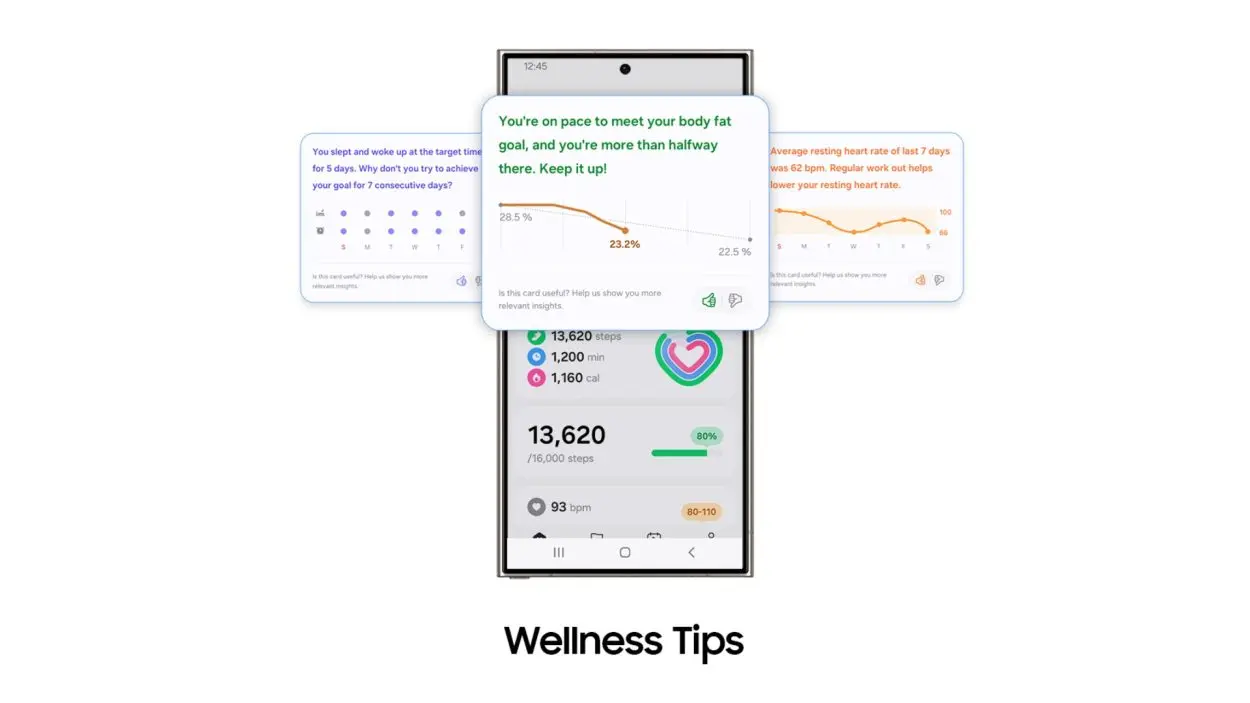
Galaxy Watch 7 Ultra comes with One UI 6 Watch based on Wear OS 5.0 and Android 14. There are a lot of exciting additions in One UI 6 Watch, including AI health tracking, new Energy score feature, and experience Samsung Health is improved.
Battery life and connectivity
The battery capacity of the Galaxy Watch 7 Ultra is 590 mAh and charges at 10W. It is currently the second largest among all Wear OS devices behind the TicWatch Pro 5's 628 mAh battery. Samsung claims over 2 days of battery life on a full charge and 4 days in power saving mode , surpassing the OnePlus Watch 2, this is also one of the best WearOS smartwatch options.
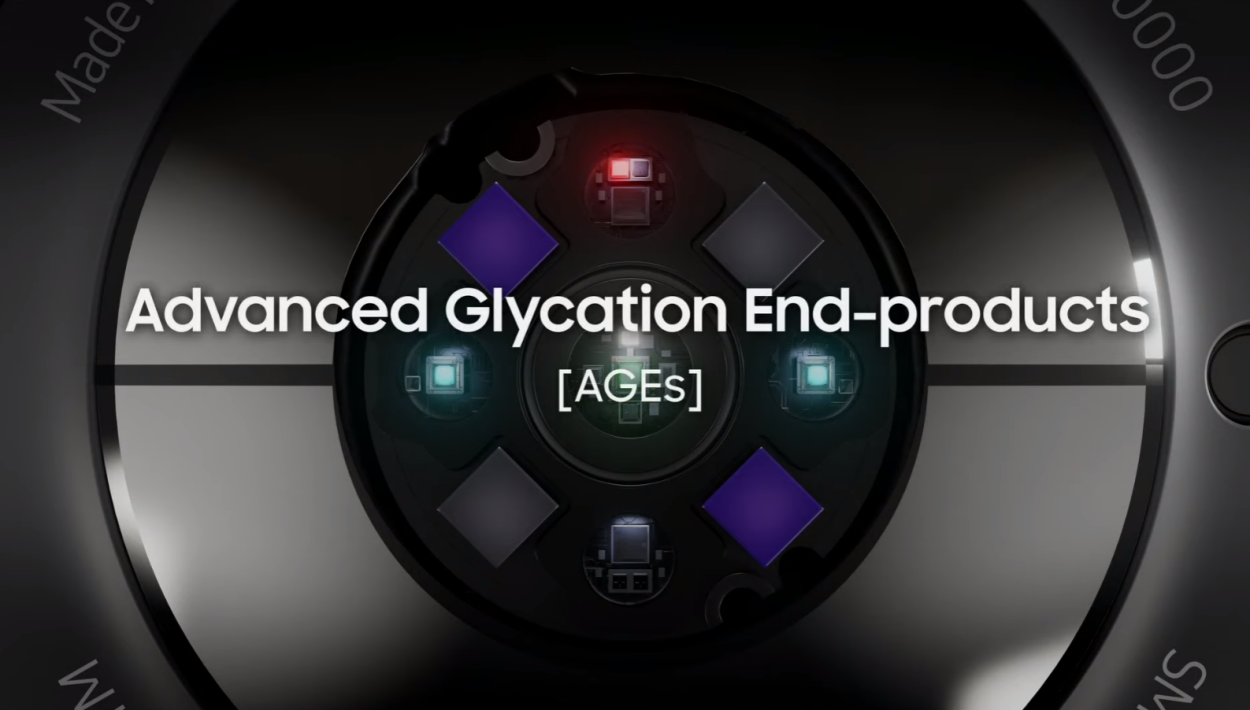
In terms of connectivity, the Watch 7 Ultra has Bluetooth 5.3, 5 GHz and 2.4 GHz Wi-Fi, NFC and LTE. There is also a Bluetooth-only variant. Inside the watch there are light sensors, geomagnetic, accelerometer, barometer, BioActive, BP & ECG, AGE, skin temperature, SpO2, heart rate and gyroscope. There's also accurate dual-band GPS for better tracking and a new sleep apnea detection feature.
Availability and pricing
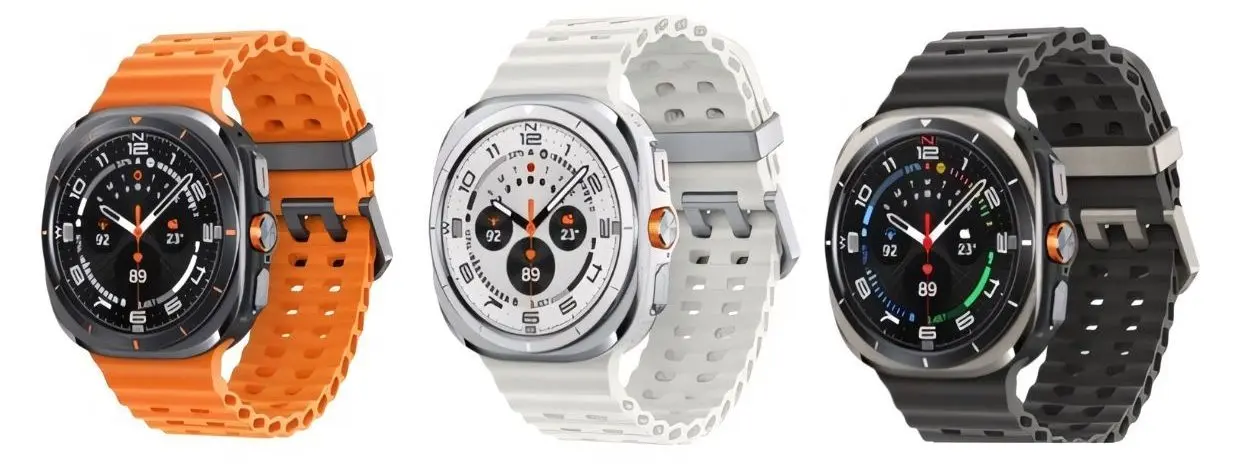
Galaxy Watch 7 will have 3 colors: Titanium Gray, Titanium Silver and Titanium White. All variants come with Samsung's Extreme Sport strap. The watch is now available for pre-order. The Watch 7 Ultra only has an LTE version and costs $649 in the US.
What do you think about the Galaxy Watch 7 Ultra? Does it deserve to be called a rival to the Apple Watch Ultra 2? Please share your opinions in the comments section below!
Final Thoughts
Use the instructions and checks above in order, verify the result after each major step, and keep a backup whenever the process changes important files or system settings.
FAQ
What is Samsung, Galaxy Watch 7 Ultra used for?
From the controversial new design and style to the newly added functionality, here's a detailed overview of everything you need to know about the Galaxy Watch 7 Ultra.
Who should consider Samsung, Galaxy Watch 7 Ultra?
It is most useful for readers who need the features, workflow, or problem-solving approach described in this guide.
What should I check before using it?
Review compatibility, current software requirements, privacy or security settings, costs, and any limitations that could affect your workflow.
Related Articles
 5 Features That Make Galaxy Watch Ultra the Best Smartwatch From6 minutes read
 'Abdominal Surgery' Camera Cluster 'Hegemony' on Galaxy S20 Ultra4 minutes read
 Samsung: This Is the Total Cost of Creating a Galaxy S20 Ultra3 minutes read
 Samsung Will Launch the Galaxy Watch7 Ultra Under the Name4 minutes read
 5 Main Differences Between Galaxy S24 Ultra and S23 Ultra: Recommended Choices8 minutes read
 Is iPhone 15 Pro Max or Galaxy S23 Ultra Better?9 minutes read
Reader Comments 0
Sign in with email or Google to join the discussion.