Table of Contents
This guide explains how to use SketchUp to Design 3D, with clear steps, practical tips, and important checks before you begin.
However, what if you were just a hobbyist who created 3D objects? If so, try SketchUp. The app has a free web version for 3D modeling enthusiasts.
In this article, TipsMake. com will explain what SketchUp is, what features the free version offers and how to use SketchUp on a basic level.
What is SketchUp?
SketchUp, formerly known as Google SketchUp, is a 3D modeling program released in 2000. Currently, it is owned by a company called Trimble.
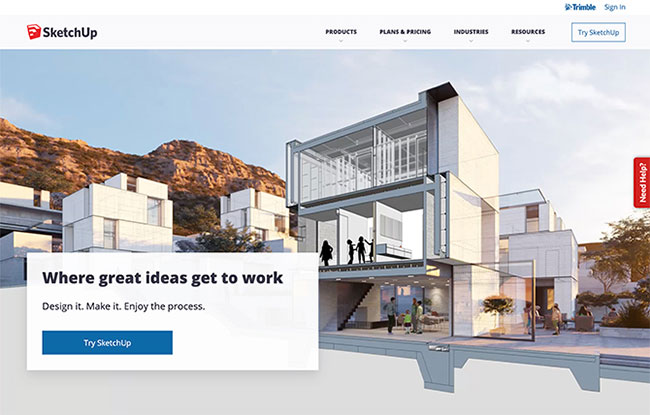 SketchUp is a 3D modeling program released in 2000
A program for creating 3D models, SketchUp is perfect for a variety of uses. SketchUp is used for a variety of purposes, from architectural and landscape design to film and game development. With pre-designed models that you can use in your design, this app also works as a tool where you can easily build 3D structures and display them.
Is Google SketchUp free?
With the basic SketchUp version, the purpose of the program is to help you explore creating 3D models. This app is for web only, which means you can only use it online.
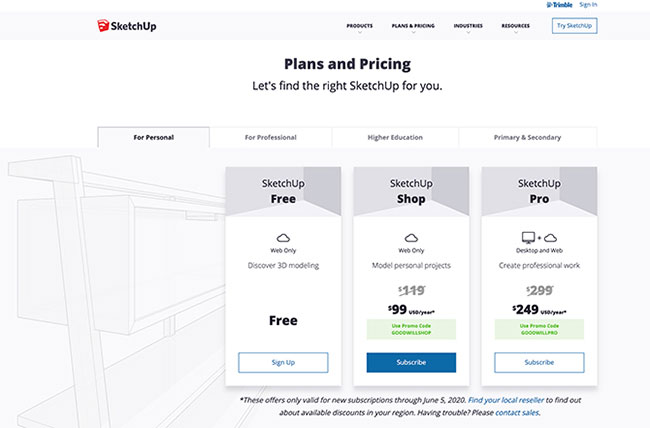 Google SketchUp has a free version
You have 10GB of cloud storage for your projects, with community support through forums.
The downside of the free version is that it doesn't allow you to use styles, custom materials, performance-based designs, or stylists. You also cannot use the models created in the free version of SketchUp for commercial purposes.
Although (Google) SketchUp has a free version, it is difficult to compare it with the professional paid version of the application.
Although SketchUp is not free to use with designers, if you just want to learn the basics, this free version will work well.
Let's learn the basics with the free SketchUp app in the next section.
Basic introduction to using SketchUp
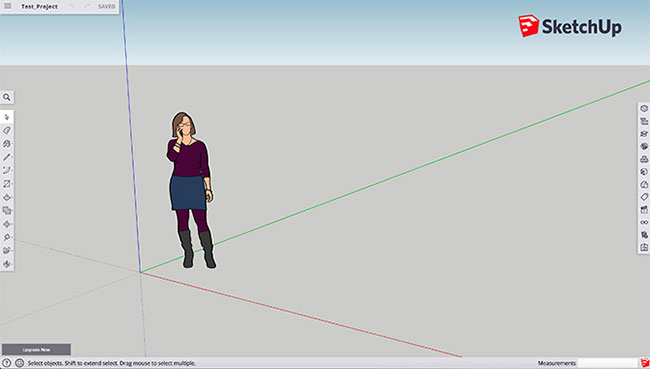 Basic interface of SketchUp
The great thing about SketchUp is that when you sign up for a free app, you'll be provided with a handy guide. In addition, there are help forums that will guide you through your first 3D project, with topics ranging from using SketchUp in comics, to sharing SketchUp projects with a friend.
When you open SketchUp, you see a workspace with 3D coordinates, horizons, and proportional 2D figures. On the left side of the screen, you will see the Toolbar (toolbar):
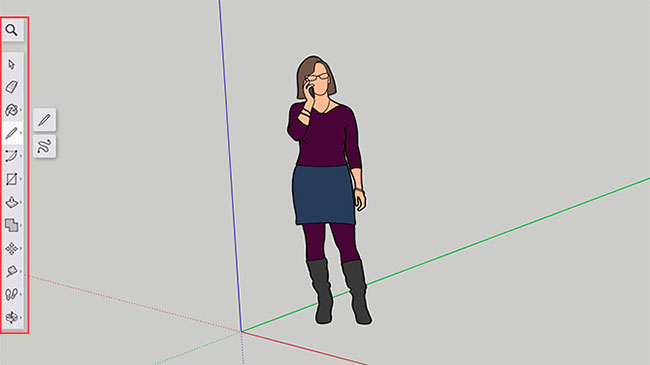 Toolbar
This toolbar contains things you will need to draw like:
- Eraser
- Paint
- Line
- Push / Pull
- Move
- Tape Measure
- Orbit control
At the bottom of the screen, you will see the Status bar. The status bar will help you learn how to use SketchUp, by clicking the Help button to access application instructions.
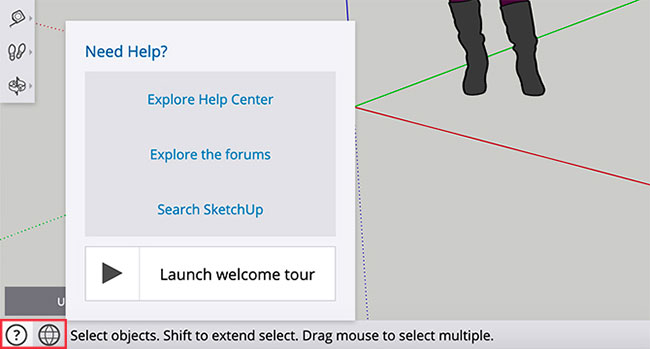 Click the Help button to access application instructions
Finally, on the right side of the screen, you will see the Panel (panel). Here, you can adjust your model with different materials, components, and layers.
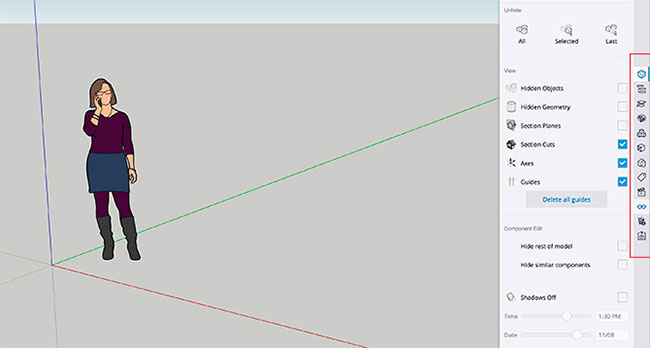 Panel control panel
Summary:
- Draw in SketchUp with the Toolbar to the left.
- Adjust the drawing with the right Panel .
- Learn how to draw with the Status bar at the bottom.
FAQ
What should I know about SketchUp to Design 3D?
Focus on the key features, requirements, limitations, and practical use cases explained in this guide.
How do I get the best results with SketchUp to Design 3D?
Follow the recommended steps, use current software or information, confirm compatibility, and review settings before major changes.
Are there any risks or limitations?
Potential limitations depend on compatibility, data quality, cost, privacy, support, and how the product or method is used.
Related Articles
 Click: How to Use Sketchup10 minutes read
 Sketchup Interior and Exterior Design Library5 minutes read
 Optimal Computer Configuration for Running Sketchup4 minutes read
 SketchUp Keyboard Shortcuts - Complete Shortcut Keys in SketchUp4 minutes read
 How to Import KML Files into SketchUp3 minutes read
 Want: How to Copy and Create Arrays in Sketchup3 minutes read
Reader Comments 0
Sign in with email or Google to join the discussion.