Table of Contents
This updated guide examines How to Turn Off Ads for Rescue Cut Game and organizes the essential facts, background, and practical takeaways in clear American English.
The gameplay is simple but playing longer will require players to be agile and have the right decision to overcome the guardians and the traps around you. For each completed level milestone, the player will unlock a new character, and you can use that character as the main character to rescue.
In addition to the traps, obstacles and watchmen out, advertising is what makes many players uncomfortable. Although players can use ad blocking applications to block ads from Rescue Cut, there may be a charge. However, there is a simple way that you can turn off the Rescue Cut ad and still finish your game, the instructions below will help you block the Rescue Cut - Rope Puzzle ad.
Instructions to turn off ads Rescue Cut - Rope Puzzle
To turn off the ads for Rescue Cut - Rope Puzzle game, simply disconnect Wifi or connect to the Internet of the network. However, there will be times when you also need to advertise because if you want to unlock new characters, you need to watch promotional videos.

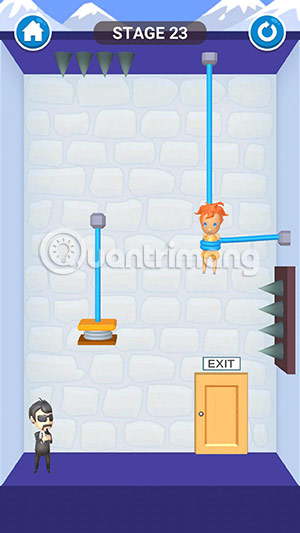
If you pass the screen and see the notice to see the ad to receive new characters. Turn on the wifi / internet network and wait for the Get button to turn green, then see ads and get new characters.

Of course, when disconnecting Wifi / Internet network, you will not receive notifications of communication applications such as Facebook Messenger, Zalo. So if you are playing while messaging with the application, do not turn off the link connect to the internet.
FAQ
What is How to Turn Off Ads for Rescue Cut Game about?
It provides a structured overview of rescue cut, explains the main context, and highlights practical takeaways for readers.
Why does this topic matter?
Understanding the main concepts helps readers evaluate the issue, avoid common mistakes, and make better-informed decisions.
How should readers use this information?
Use the guidance as a practical starting point, confirm details that may have changed, and follow current product, safety, or security recommendations.
Related Articles
 Rescue Cut Answers from 1 -- 1003 minutes read
 How to Install Rescue Cut on the Computer3 minutes read
 How to Unlock All Characters in Rescue Cut3 minutes read
 How to Use Help 114 to Quickly Call for Rescue3 minutes read
 Rescue the System with These 5 Bootable Windows Pe Recovery Disks6 minutes read
 Using Bitdefender Rescue CD on the Infected Computer3 minutes read
Reader Comments 0
Sign in with email or Google to join the discussion.