Table of Contents
This updated guide explains how to Get Free Games on Epic Games Store: Step-by-Step through clear steps, practical examples, and important checks that help prevent common errors.
Instructions to Enable 2-factor Authentication on Epic Games Store
Step 1:
Firstly you need to login accounts Epic and click your username, choose Account .

Step 2:
click Password & Security and then look to the side, scroll down to see TWO-FACTOR AUTHENTICATION for us to set up.
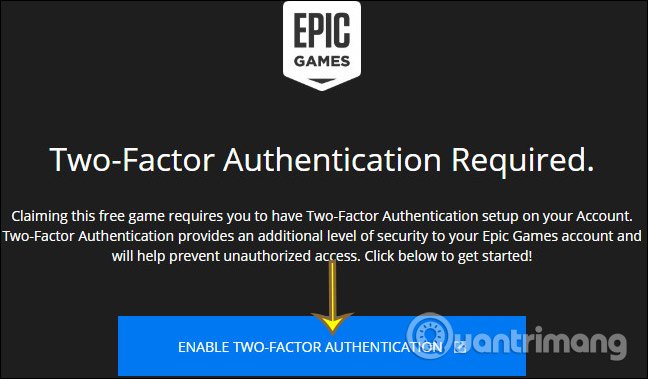
Or when you visit the Epic Games Store to get free games, the interface shown below, click ENABLE TWO-FACTOR AUTHENTICATION to enter the settings page.
Step 3:
Here we will have 3 options to enable 2- factor authentication on the Epic Games Store , including using 2-layer authentication applications like Google Authenticator, LastPass Authenticator, Microsoft Authenticator or Authy, using Epic account registration email and 2-layer authentication SMS. Select a method and then click Enable to continue.

Step 4:
Now you receive a notification that an activation code will be emailed to you, check your mail and fill out this interface.

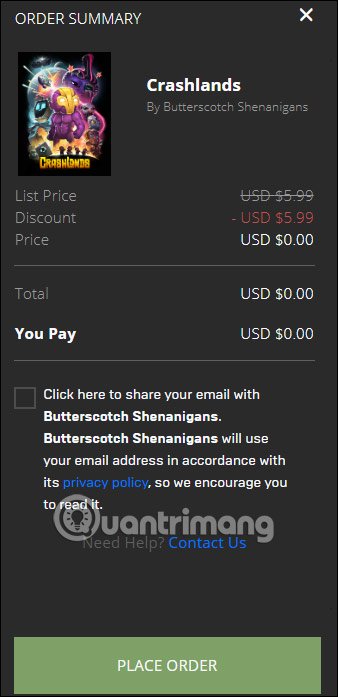
Success you will receive a notification when you sign up for Epic and download the game for free, you need to enter the verification code sent to your email address. Now go to Epic Store Games and find a free game to download. Some existing free games are Amnesia: The Dark Descent and Crashlands until May 7.
FAQ
What is the easiest way to Get Free Games on Epic Games Store: Step-by-Step?
Start with the requirements in this guide, then follow each step in order. Check the result after every major change so problems are easier to identify.
Can beginners follow these instructions?
Yes. The process is organized into practical steps, and you can repeat any step before moving forward.
What should I check if the method does not work?
Confirm your software or device version, permissions, settings, file format, and internet connection when the task depends on online services.
Related Articles
 Free Game Epic Games Store 20247 minutes read
 How to Gift Games on Epic Games Store: Step-by-Step Guide4 minutes read
 How to Get Free Mobile Games on Epic Games Store3 minutes read
 Epic Games Store2 minutes read
 Download the Ultimate Ark: Survival Evolved for Free on Epic Games Store3 minutes read
 Tips for Refunding When Buying Games on the Epic Games Store5 minutes read
Reader Comments 0
Sign in with email or Google to join the discussion.