Table of Contents
Monster Hunter Outlanders combines hunting, exploration, crafting and character development. The basic loop is to explore Aesoland, collect materials, improve your equipment and use what you learn to tackle more demanding hunts. Understanding how the systems connect helps you choose a useful next activity.
The main systems at a glance
| System | What it contributes | What to check |
|---|---|---|
| Hunting | Combat experience and monster materials | Target weaknesses, objectives and attack patterns |
| Exploration | Resources, routes and access to new activities | Map information and current quest requirements |
| Crafting and building | Equipment and useful field facilities | Material costs and the benefit of the next upgrade |
| Adventurers | Playable characters with weapons and skills | Role, equipment and skill activation conditions |
| Buddies | Companions that assist in the field | The selected Buddy's abilities and development |
| Co-op hunts | Hunting alongside other players | Preparation, positioning and coordinated actions |
Hunting: learn the target before extending combos
Hunts reward preparation as well as attack timing. Check the target information, bring suitable supplies and learn which attacks leave a safe opening. Use short sequences until you understand when to stop and defend.
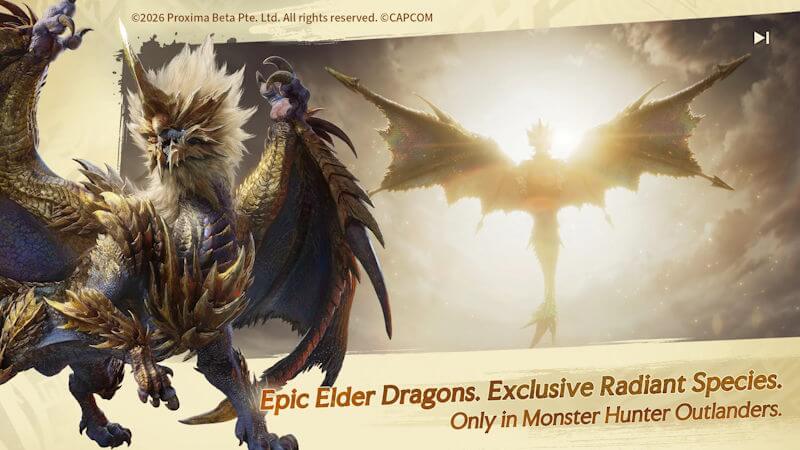
The targeting interface lets you select a body part, but your position and weapon reach still determine where a strike lands. If you need a particular part, approach from a suitable angle and read any damage-type requirements. Lock-on is a camera and targeting aid, not a guarantee that every hit reaches that part.
Exploration and field facilities
Aesoland contains different environments and gathering opportunities. Collect what your current quest or crafting plan needs, and unlock useful routes as you move through the area.
Field structures can make travel and gathering more convenient. Before constructing or upgrading one, inspect the material cost and the route or function it improves. Follow required story and research unlocks instead of assuming every structure is available immediately.
Adventurers: playable characters and combat roles
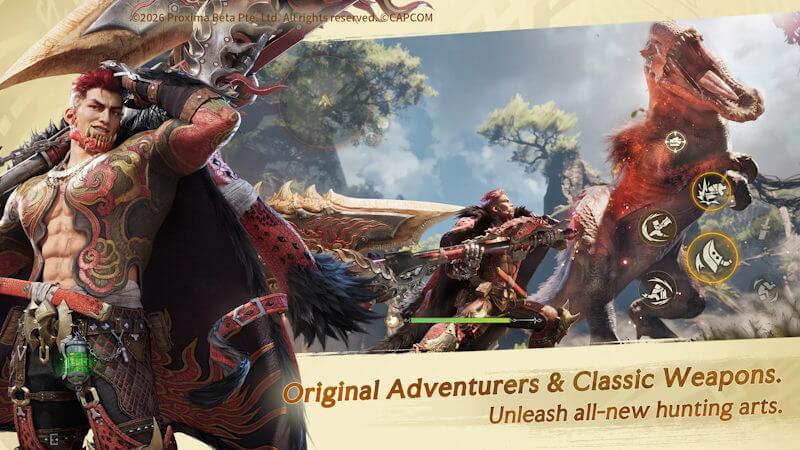
The customizable main character is the Fated Adventurer. Recruited Adventurers have their own weapons and skills. Trying a character changes more than appearance: it can change attack reach, resource use and the support your squad receives.
- Assault: Damage-focused roles.
- Disruptor: Skills that help create openings or interfere with the monster.
- Support: Supportive effects that vary by character, such as buffs, healing or shields.
A class label is a starting point. Read the actual kit and test how it works with your equipment. A balanced squad is useful only if its abilities address the encounter and you can activate them effectively.
Buddies: a separate companion system
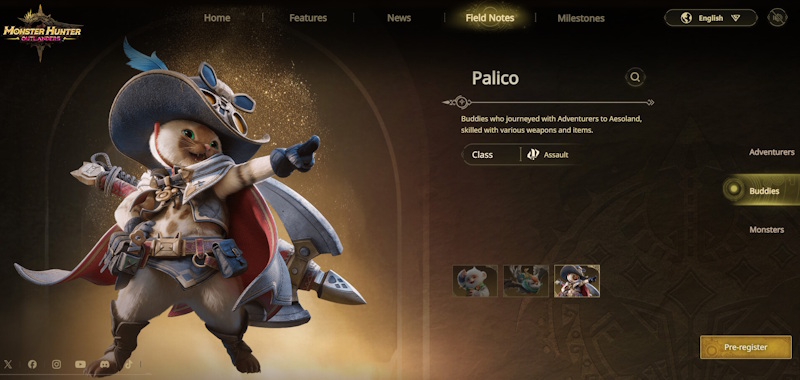
The official roster describes three Buddy types: Palico, associated with Assault; Rutaco, associated with Disruptor; and Trillan, associated with Support. They help with activities such as hunting, exploration and building.
Buddies are not the same as recruited Adventurers or other players in co-op. Check the companion tutorial and the abilities you have unlocked. Do not assume choosing a Support-associated Buddy supplies the same healing or buffs as a particular Support Adventurer.
Co-op: coordinate the opening
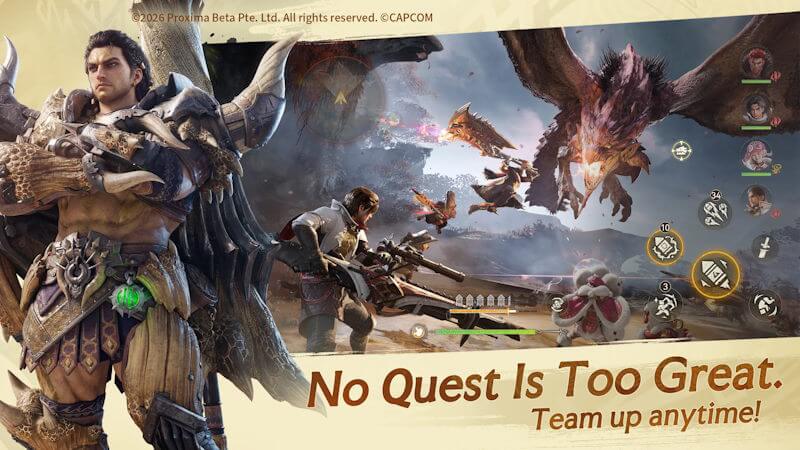
You can hunt with a group of up to four players. Prepare before joining, follow the shared target and stay aware of where the other hunters are fighting.
Co-op skills provide coordinated attack opportunities. Follow the on-screen prompt, identify the marked part and get within reach before attempting a follow-up. A target marker alone does not solve distance or positioning. Keep the group's objective in mind rather than chasing a long personal combo.
Controls: choose the layout you can use reliably
Launch-era guides distinguish an assisted Adventure Mode from a more manual Classic Mode. Older preview coverage used “Starter Mode” for the simpler scheme, so names in early screenshots may differ. Read the descriptions in your current settings.
Try the same character against a familiar target when comparing layouts. Check camera movement, attacking, evading and any guard option first. Then practice the character's specific skills. A more complex layout is useful only when it gives you control you can use consistently.
Controller support is listed by the official launch information, but confirm compatibility and supported functions for your own device before purchasing hardware.
Put the systems together
Choose a target or upgrade, identify its requirements, complete the necessary gathering or quest activity, then test the result in a hunt. If you struggle, separate equipment limitations from timing mistakes. This makes the next improvement clearer than repeatedly upgrading unrelated items.
Related Articles
 Monster Hunter Outlanders Beginner Guide: Combat and Upgrades
 Monster Hunter Outlanders Starting Weapons: How to Choose
 15 Monster Hunter Outlanders Tips for Progression and Hunting
 Monster Hunter Rise tips for new gamers
 Download the malware removal tool and clean up Malware Hunter PRO computer for $ 49.95 for free
 A bug hunter's job, emerging job in the technological age
Reader Comments 0
Sign in with email or Google to join the discussion.