Table of Contents
Overview
This guide explains how to fix low headphone volume in clear, practical terms. It covers the key concepts, recommended steps, common limitations, and useful checks so you can make a better-informed decision.
If you use your headphones for a long time or do not maintain them properly, your Bluetooth headphones may have sound problems. The problem of low volume on Bluetooth headphones is a common occurrence. What causes low volume on Bluetooth? How to fix low volume on headphones? Let's find the answer in This guide!
Reasons why bluetooth headphones have low volume
There are many reasons why headphones have low, unclear sound. It could be one of the following cases:

- Water seepage: Water seepage into the headset is one of the reasons why the bluetooth headset has a low sound. During use, you may accidentally drop the headset into water, get it soaked in rain,. All of these reasons lead to the bluetooth headset having a low sound, which is an obvious thing that can happen.
- Software error on the phone: The software on the phone device may be faulty, leading to unstable transmission. There may be many applications running on your device, the applications clash with each other and cause errors, leading to low volume on the bluetooth headset.
- Broken bluetooth headset speaker: Headphones in the process of long-term use will cause damage to the external components, especially the speaker membrane. Once the speaker membrane is broken, the sound will not be dispersed, leading to the bluetooth headset being low-sounding or damaged on one side.
- Listening area near interference area: Bluetooth is a wireless audio connection device, so Bluetooth headset errors occur in the case of signal interference, which is very likely if you are in an area with heavy interference.
How to fix low volume bluetooth headphones
Restart the bluetooth headset
Since this headset is connected wirelessly, the transmission may be problematic. In this situation, you should restart the bluetooth headset. You just need to find and hold the power button for a while until the light turns off. When you turn it on, do the same until the light turns back on. Next, find the matching headset device name and pair it again.
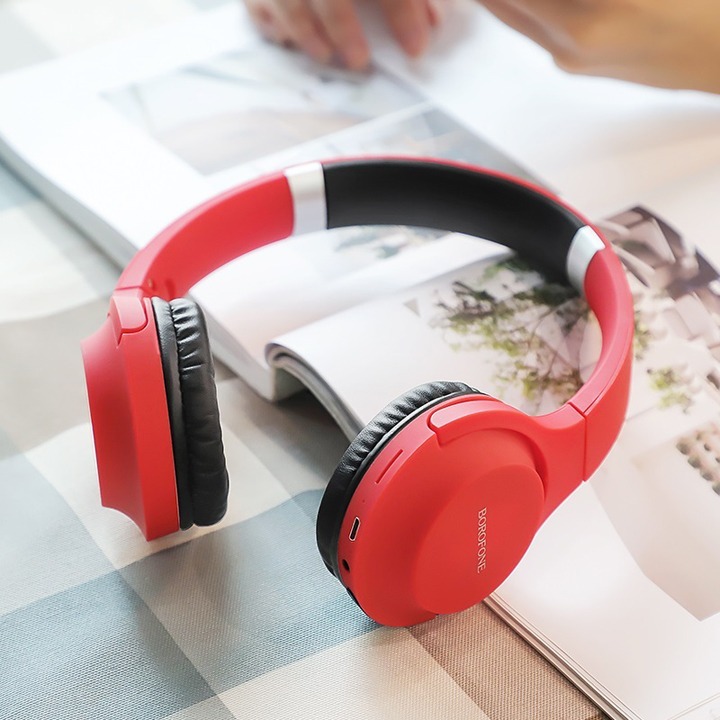
Use Bluetooth headphones close to your Wi-Fi router, computer
Devices such as computer routers emit radio waves. If you are near a mixture of different types of radio waves, the sound quality of your Bluetooth headset will be affected. Therefore, you should use Bluetooth headsets at a distance to avoid radio wave interference. If your headset has a noise cancellation function, turn it off so as not to affect the sound emitted from the headset.
Keep Bluetooth device in pocket or bag while listening to audio
Your body may obstruct the Bluetooth headset 's Bluetooth antenna, causing transmission problems. So move the Bluetooth device to a location free of obstructions instead of keeping it in a pocket, bag, or purse.
Re-weld the speaker membrane that was broken.
The speaker membrane coming off is a common problem for many people. To fix this error, you need to remove all the components of the bluetooth headset, reattach the speaker membrane that has fallen off and weld it firmly.
If you cannot fix it yourself, you can go to accessory repair centers to help you solder each joint of the headphone membrane effectively and safely.
Headphones are small, compact, easy to transport, and inexpensive, so they are smuggled in by many "brokers" in many ways, most of which are unofficial. Through these unofficial channels, the products are often very cheap, with quality and warranty being loose, which is mostly a risk for the buyer.
Where to buy cheap genuine headphones?
With continuous efforts over the years, the Vietnamese headphone market has gradually shaped its distribution channels, diversifying brands and device types. Thanks to that, many people can own genuine headphones with high reliability.
At professional headphone stores, buyers will experience many headphones from most major brands such as Beats, Sony, Sennheiser, Audio Technica, Bose, Shure, etc.
This guide is one of the reputable headphone stores you can choose. After many years of establishment, this guide has a solid position in the market. Currently, this guide has developed a chain of stores stretching from North to South. The staff is young, enthusiastic and friendly, and well-trained in customer service. You just need to pick up the phone and contact us via hotline: 1900.1903
Conclude
For each cause of the Bluetooth headset being small, we need to have a different way of handling it. If it is a fixable error, you can apply it as I instructed above. In case the product has a technical error and cannot be repaired, you can take it to a repair shop or consider buying yourself a new headset, ensuring sound quality.
Key Takeaways
Use the guidance above as a practical reference for causes and how to fix low sound headphones. Check compatibility, follow the steps carefully, and verify important details with official documentation when software, security, accounts, health, or purchases are involved.
FAQ
How do I fix low headphone volume?
Follow the steps in this guide in order, confirm each setting before continuing, and save, restart, or reconnect the device when the instructions require it.
What should I check before I begin?
Confirm the correct device, account access, software version, compatibility, and a current backup whenever the process could affect files, settings, or security.
What should I do if the process does not work?
Repeat the steps carefully, check for model or version differences, install available updates, and consult the manufacturer's official support documentation.
Related Articles
 Why Do Expensive Wireless Headphones Produce Worse Sound Quality on Windows?8 minutes read
 How to Set up Samsung Galaxy S8 Headset Sound5 minutes read
 Breakthrough Technology That Could 'kill' Headphones: Bending Sound4 minutes read
 Choose Headphones Like In-ear, On-ear or Over-ear?8 minutes read
 How to Wear Headphones Correctly to Protect Your Ears7 minutes read
 Do You Know the Reason Why Your Headphones Have Low Sound: Complete Overview9 minutes read
Reader Comments 0
Sign in with email or Google to join the discussion.