Table of Contents
This guide provides a clear, practical overview of tips to play zoo 2 animal park for newbies, with useful context, important details, and straightforward takeaways for everyday readers.
Simulation games like restaurant management or farm games often require the player to have strategies in building and managing. Zoo 2 Animal Park is no exception. In Zoo 2 Animal Park, your goal is to develop a small zoo into a large, powerful zoo, and that is possible if you manage all your activities intelligently.
Instructions on how to play Zoo 2 Animal Park for beginners: For beginners, you need more than that and here are some tips to play Zoo 2 Animal Park for beginners, to help you have a good start than in the game.
Tips to play Zoo 2 Animal Park
1. Focus on completing quests for fast development
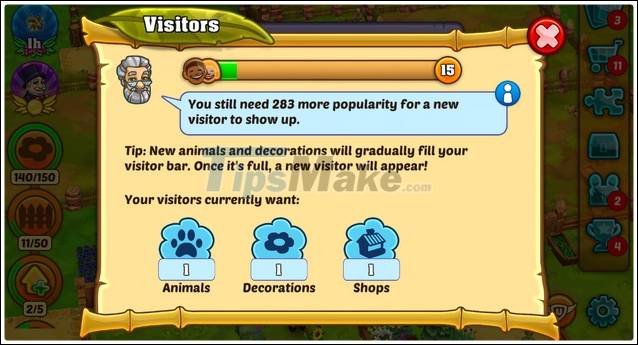
If you really want to be a zoo tycoon, you better focus on the main quests in the beginning. Complete those quests and you will earn coins, a large amount of experience, and many other items. To check your task list, click on the old man icon in the upper left corner of the screen and click on the task log icon. Watch a turn of pending missions and complete them all for rapid growth in Zoo 2 Animal Park.
2. Build money-making facilities
By building money-making facilities like ice cream vans, snack vans or beverage vans, you can make a decent income from it. Don't forget to upgrade these stores to earn even more money.
3. Adorn the zoo with decorations
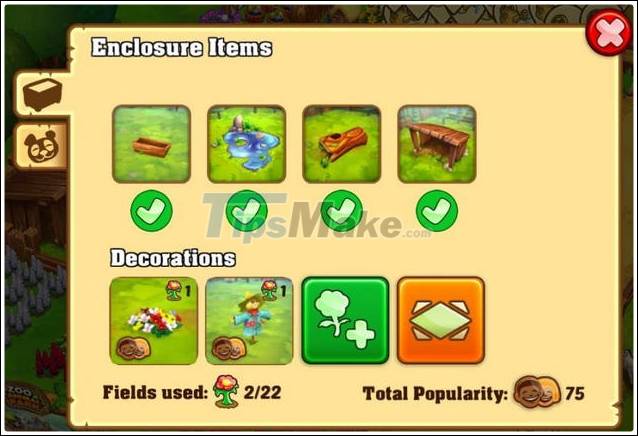
These items add bonuses and keep animals and visitors happy for a certain amount of time. To prolong that fun, add more decorations to your zoo.
4. Hire staff to automate all jobs
When you build new areas, managing the entire zoo by yourself is very difficult. You need to hire staff and they'll give you a hand. So how to recruit employees? Let's build an administrative building to do that. Sometimes, you can get more employees from missions.
5. Very helpful friends
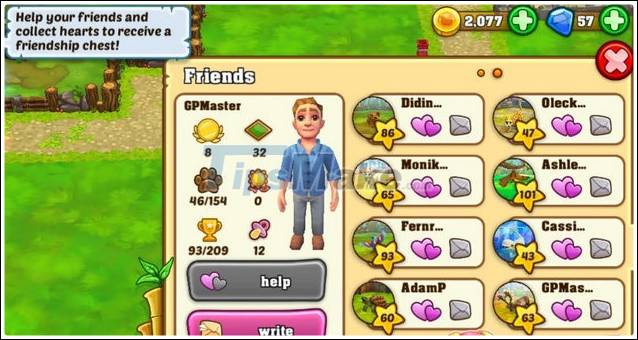
The friend feature is unlocked when players reach level 6. Add friends, visit their zoo, help them collect friendship hearts, and get a friendship chest for free. These chests contain valuable items.
6. Spend and invest in a reasonable way
Zoo 2 Animal Park has 2 currencies, that is coins and diamonds. In which diamonds are very precious and difficult to find. So, don't use diamonds to speed up quests because it's very wasteful. Instead of spending on this activity, save diamonds and use it to buy some necessary items. These items play a very important role and can only be purchased with diamonds.
Link download Zoo 2 Animal Park for Android and iPhone:
You can start Zoo 2 Animal Park without learning any more information, but the Zoo 2 Animal Park game tips for beginners shared in the article helps you optimize construction activities and development, as well as increased income.
Key Takeaways
Use the information above as a practical reference for tips to play zoo 2 animal park for newbies. Review each step carefully, confirm any requirements, and choose the option that best fits your situation.
FAQ
What does this guide explain about Tips to Play Zoo 2 Animal Park for Newbies?
It explains the main concepts, practical considerations, and useful steps related to tips to play zoo 2 animal park for newbies without requiring advanced knowledge.
Who can benefit from learning about Tips to Play Zoo 2 Animal Park for Newbies?
This information is useful for readers who want a clear overview, practical guidance, and reliable steps related to tips to play zoo 2 animal park for newbies.
What should I check before applying this information?
Review the requirements, confirm that your device, software, or situation matches the instructions, and back up important data before making major changes.
Related Articles
 How to play Animal Hospital for beginners7 minutes read
 Tips for Playing Animal Crossing: New Horizons5 minutes read
 3 Simple Tips for Playing Free Fire That Newbies Need to Know: What You Need to Know5 minutes read
 Is It Possible to Play Animal Crossing: New Horizons Online for Free Explained6 minutes read
 4D Animal Photo Collection for Animal 4D +4 minutes read
 Tips for Playing Rules of Survival for Newbies Should Not Be Ignored6 minutes read
Reader Comments 0
Sign in with email or Google to join the discussion.