Article on the subject of "remote desktop connection"
-
6 Classic Windows Programs That Are Still Going Strong in 2025
unlike the apps that microsoft has quietly retired over the years, these old favorites seem to be the backbone of what still makes windows feel special.
-
10 ways to open the Remote Desktop Connection tool in Windows 11
remote desktop connection is windows 11's built-in application for connecting to remote computers. you can use it to remotely access another pc, which is useful for personal or support-related use.
-
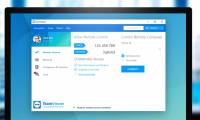
How to fix TeamViewer black screen error
when using teamviewer to connect to another computer, there is a black screen phenomenon, no computer wallpaper is displayed.
-
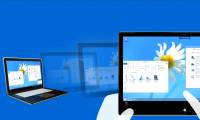
Use Remote Desktop to access remote computers via the Internet
in this article, we will show you how to use the remote desktop feature in windows xp, vista, and windows 7, windows 8, and windows 10 to access and control remote computers via a network connection.
-
PC troubleshooting tool for online troubleshooting
with remote assistance, remote desktop connection and problem steps recorder, we can control a remote computer as if we are using the keyboard of the computer itself.
-
Setting up and connecting Remote Desktop in Windows 7
microsoft's remote desktop manager feature in windows 7 can easily allow users to connect from one computer to another in the same network, and share documents, documents ... in the article below, we will show you a few basic steps in the process of setting up and using this feature in windows 7.
-
10 ways to open the Remote Desktop Connection tool in Windows 11
remote desktop connection is windows 11's built-in application for connecting to remote computers. you can use it to remotely access another pc, which is useful for personal or support-related use.
-
Troubleshoot Remote Desktop problems
remote desktop allows remote connection to your computer using the rdp protocol. however, when connecting you have some problems, read the following article.
-
Install Remote Desktop Web Connection on Windows XP
remote desktop web connection is an optional world wide web service component of the internet information services group that is integrated by default in windows xp pro, windows 2000, and windows server 2003 operating systems.
-
Setting up and connecting Remote Desktop in Windows 7
microsoft's remote desktop manager feature in windows 7 can easily allow users to connect from one computer to another in the same network, and share documents, documents ... in the article below, we will show you a few basic steps in the process of setting up and using this feature in windows 7.
-
Use Remote Desktop to access remote computers via the Internet
in this article, we will show you how to use the remote desktop feature in windows xp, vista, and windows 7, windows 8, and windows 10 to access and control remote computers via a network connection.
-
How to Hear Audio from the Remote PC when Using Remote Desktop
windows remote desktop connection will play sound from the remote computer on the one you are using to access it by default.http://windows.microsoft.com/en-us/windows-vista/changing-remote-desktop-settings if you are having trouble you can...
-
Remote Desktop controls other computers in the LAN
use remote desktop to start a remote connection. remote desktop is a great way to work all computer systems from a central computer.
-
How to Use Remote Desktop on Windows 7
today's tipsmake will show you how to enable and use remote desktop on two windows 7 computers. remote desktop is built into windows 7, this feature allows users to control one computer from another computer via a connection. internet connection. to use remote desktop, you need to enable the feature
-
The difference between Remote Desktop (RDP) and VPN
while people are constantly connecting to remote servers to browse the web, talk to friends, and play games, gaining uncontrolled access comes from one of two ways: remote desktop and virtual private network, also known as vpn.
-
Instructions for using Remote Desktop on Windows 8
a feature that appears from windows xp to higher versions is remote desktop, which allows users to connect to other computers on the network and work remotely. the article guides users on how to set up and use remote desktop metro application on windows 8.
-
Remote Desktop Connection: How to set up details, 100% successful access to computers via the Internet
tipmakes will guide you how to use remote desktop to access your computer via the internet on windows 10 in the most detailed way.
-
Remote connection management with mRemote Connection Manager
the mremote project was launched in late 2008 when it was combined with a closed source commercial tool to manage multiple remote desktops called vrd.
-
Instructions for activating and using Remote Desktop on Windows 10 computers
remote desktop protocol (rpd) feature is integrated on windows operating system since windows xp pro version. this feature allows users to easily connect and control a computer or another device remotely.
-
How to Set up Remote Desktop Web Connection with Windows XP
install the necessary software on the host computer. remote desktop web connection is an optional world wide web service component of internet information services (iis), which is included by default in windows xp professional. iis...
-
6 ways to disable Remote Desktop on Windows 11
windows remote desktop is a useful feature if you need access to your computer but can't physically reach it. in fact, this need has led to the birth of many remote desktop applications.
-
How to enable and use Remote Desktop on Windows 11
remote desktop protocol (rpd), or remote desktop, has been a feature built into windows since the release of windows xp pro, and is important to the user experience on the operating system.
-
PC troubleshooting tool for online troubleshooting
with remote assistance, remote desktop connection and problem steps recorder, we can control a remote computer as if we are using the keyboard of the computer itself.
-
Leaks information about Microsoft's new Remote Desktop application
microsoft is actively deploying the new remote desktop client, optimized for their windows virtual desktop ...
-
Steps to Fix the error that cannot be copied and pasted into the Remote Desktop session
some users have particular problems when copying and pasting files from the local computer into a remote desktop session. they can still copy paste locally, but the option to paste will be grayed out on the remote desktop computer.
-
How to Use Remote Desktop in Windows 7
this wikihow teaches you how to enable and use remote desktop on two windows 7 computers. remote desktop is a built-in windows 7 feature which allows you to control one computer from another over the internet. in order to use remote...