Table of Contents
This updated guide examines Sony Launches Xperia 1 Professional Edition, Supports LAN and organizes the essential facts, background, and practical takeaways in clear American English.
It is equipped with a 4K OLED screen, 21: 9 aspect ratio, supports 10-bit signal. The screen of the device is better adjusted thanks to the calibration of the Illuminant D65 profile - available on the TV Master series.
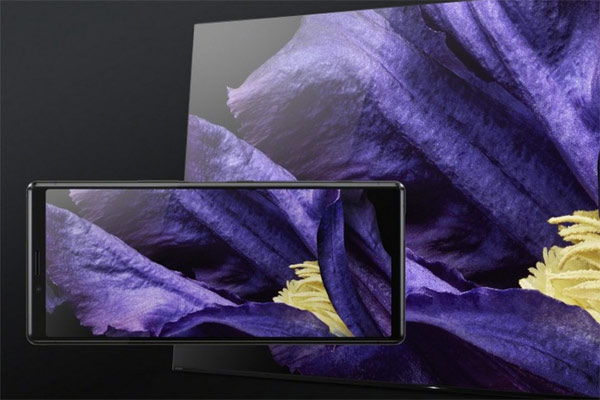
Xperia 1 Professional Edition has an Imaging Edge Mobile app that allows users to transfer photos and videos wirelessly from its camera to a phone.
Sony's new phone supports photographers to add tags and voice annotations through the Transfer & Tagging utility.

The hardware of Professional Edition is not much different from the previous version of Xperia 1, which is still the Snapdragon 855 processor, 6GB RAM, 128GB of internal memory and a 3300mAh battery.
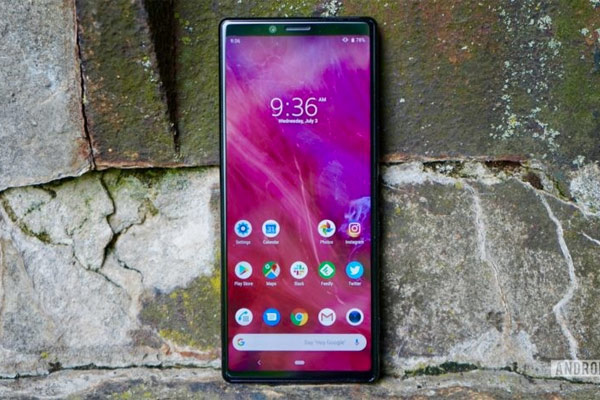
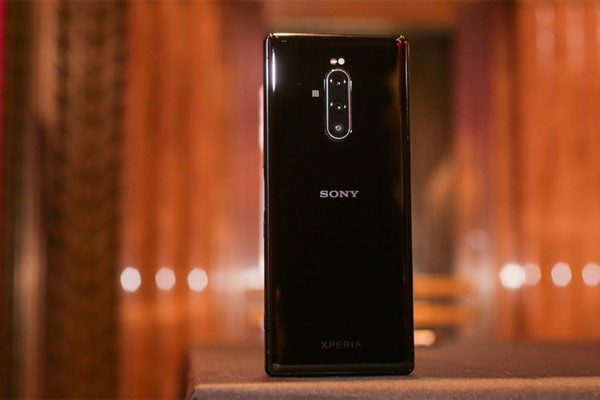
Sony will launch the Xperia 1 Professional Edition on October 25 in the Japanese market for JPY 143,000 (approximately VND 30.5 million).
- Google launched the duo Pixel 4 / Pixel 4 XL, 90Hz screen, Snapdragon 855, priced from 18.6 million
- Xiaomi designed a new smartphone: 2 selfie cameras at the edge of the bezel
FAQ
What is Sony Launches Xperia 1 Professional Edition, Supports LAN about?
It provides a structured overview of Professional Edition, explains the main context, and highlights practical takeaways for readers.
Why does this topic matter?
Understanding the main concepts helps readers evaluate the issue, avoid common mistakes, and make better-informed decisions.
How should readers use this information?
Use the guidance as a practical starting point, confirm details that may have changed, and follow current product, safety, or security recommendations.
Related Articles
 Check Out the Products Offered by Sony to MWC 201911 minutes read
 8 Common Mistakes on Sony Xperia Z2 and How to Fix It6 minutes read
 Sony Will Update the Top Smartphone After 6 Months4 minutes read
 Xperia 1 Mark Ii 5g: 4k Hdr Oled Display, 3.5mm Jack, First 20fps3 minutes read
 Featured Computers and Phones at IFA 20175 minutes read
 The New Phone Line of Sony Xperia Introduces 3D Scanning Tool6 minutes read
Reader Comments 0
Sign in with email or Google to join the discussion.