Table of Contents
This guide provides a clear, practical overview of Microsoft is developing a low-cost surface computer running, with useful context, important details, and straightforward takeaways for everyday readers.
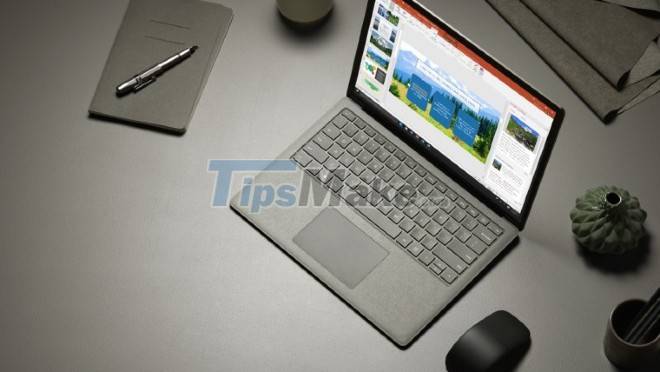
The hardware configuration of this cheap Surface includes an 11.6-inch screen, a resolution of 1366x768 pixels, an Intel Celeron N4120 processor and up to 8GB of RAM. Other components include a full-size keyboard and trackpad, one USB-C port, one USB-A port, one headphone jack, and one power (AC) port.
To keep the price low, the frame of the new Surface computer will be made of plastic.
Also according to some leaked sources, the internal source code of the new Surface computer is "Tenjin" and it will run Windows 11 SE. Although not much information is available, it is possible that Windows 11 SE will be a compact version of Windows 11, optimized for learning tasks and more suitable for weak hardware. Maybe SE stands for Student Edition or School Edition.
Tenjin is expected to hit shelves by the end of this year for less than 400 USD (about 9.1 million VND). This is considered an appropriate price and configuration because students and students often rarely need computers with high processing power while not ready to spend a lot of money on high-end computers.
Key Takeaways
Use the information above as a practical reference for Microsoft is developing a low-cost surface computer running. Review each step carefully, confirm any requirements, and choose the option that best fits your situation.
FAQ
What does this guide explain about Microsoft Is Developing a Low-cost Surface Computer Running?
It explains the main concepts, practical considerations, and useful steps related to Microsoft is developing a low-cost surface computer running without requiring advanced knowledge.
Who can benefit from learning about Microsoft Is Developing a Low-cost Surface Computer Running?
This information is useful for readers who want a clear overview, practical guidance, and reliable steps related to Microsoft is developing a low-cost surface computer running.
What should I check before applying this information?
Review the requirements, confirm that your device, software, or situation matches the instructions, and back up important data before making major changes.
Related Articles
 Microsoft Again Urges Users to Leave Windows 10 and Switch to Pcs Running Arm4 minutes read
 7 Surprising Announcements from Microsoft at the 2019 Surface5 minutes read
 Experience Surface Neo: Unique Dual-screen Device from Microsoft4 minutes read
 Compare Microsoft Surface 3 and Surface Pro 35 minutes read
 Microsoft Launched the First Ad Clip of the Surface Pro 33 minutes read
 Revealing Impressive Benchmarks of Surface Go 23 minutes read
Reader Comments 0
Sign in with email or Google to join the discussion.