Table of Contents
This updated guide examines Gift Code Pokeorigin: Instruction to Enter Giftcode Poke Origin and organizes the essential facts, background, and practical takeaways in clear American English.
Giftcode Poke origin is free for gamers. You only need to go to the page where you are signing up to receive giftcode and enter your phone number to receive giftcode, then enter giftcode following the instructions below.
- How to catch rare Pokemon in Pokemon GO
- How to emulate old Pokémon games on Android phones
- Guide to level up Pokemon Master quickly
How to enter giftcode to receive Poke Origin gifts
Link to Poke Origin
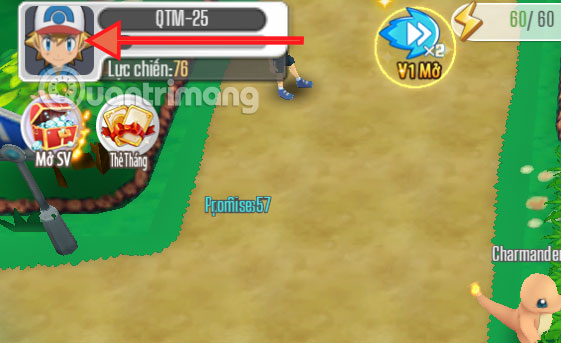
Step 1: Click the link above and then click Access to access the Poke Origin web game. Log into the game and select the character icon avatar.
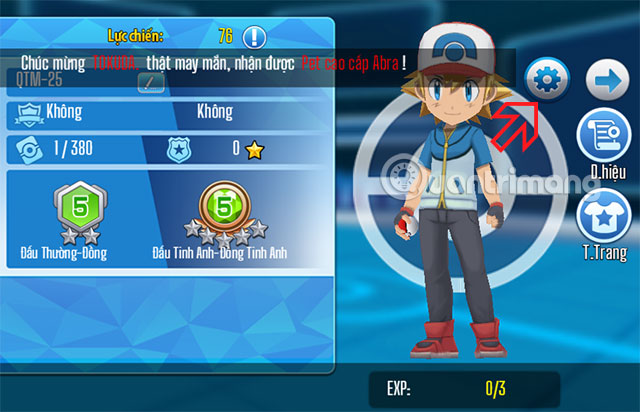
Click on the settings icon in the right corner.
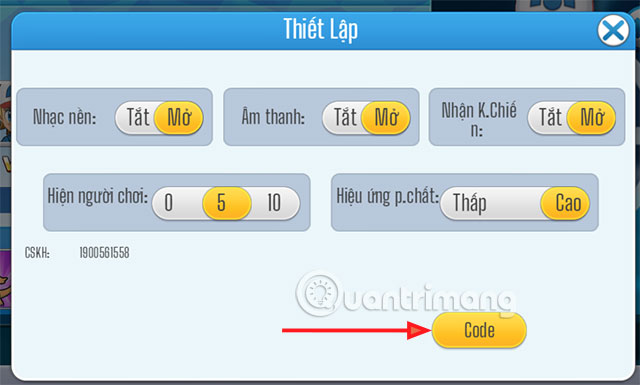
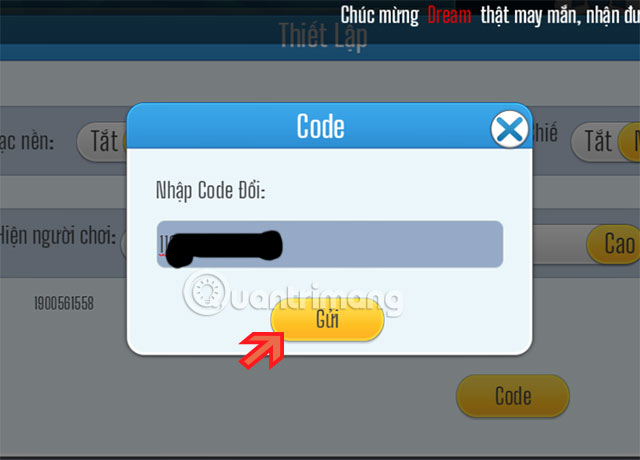
Step 2: In the Settings section, click Code.
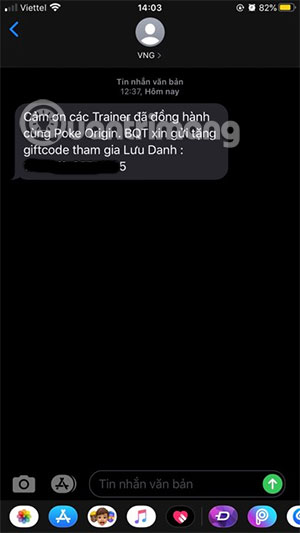
If you have registered to receive codes in the Sign up program, VNG will send codes to you by SMS.
Step 3: Enter this Code in the field to change the code and click Submit .
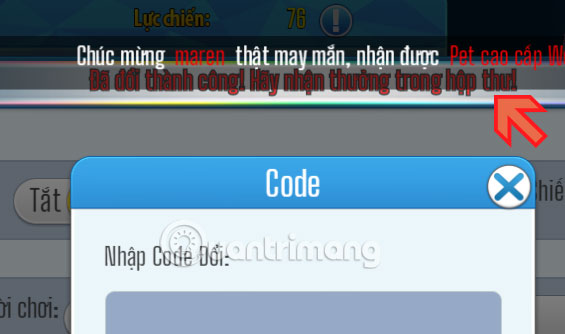
If successful, you will see the message `` Successfully changed '' as shown below.
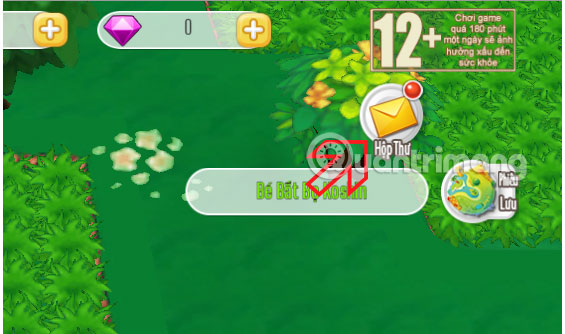
Step 4: Go out, find Mailbox in the upper right corner, click it to open your mailbox.
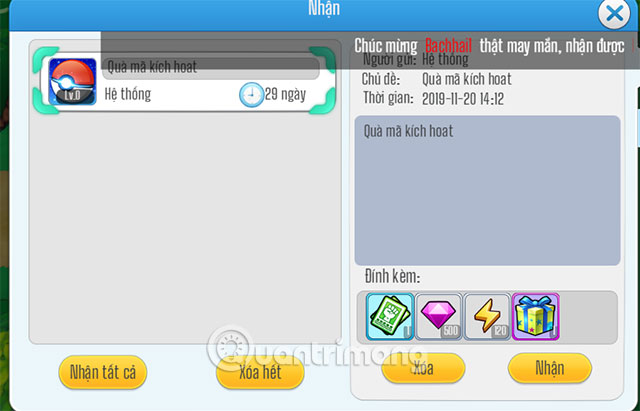
Click on Get All Below to receive your giftcode.
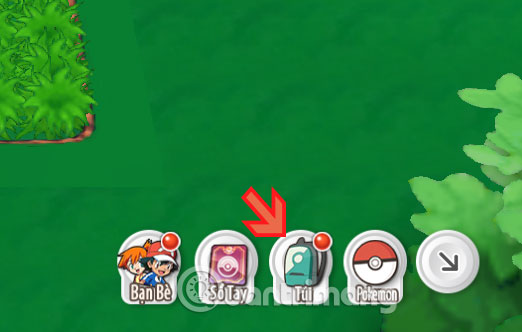
Step 5: Then go to the Bags section below to check the gifts received.
And these are the gifts that you will receive, in addition to the diamond and fitness has been added, you will have a random pokemon gift box and title card.

It is not clear whether these gifts will help a lot for gamers when they first entered the game Poke Origin or not. If you do not know much about the game, you should do the task according to the instructions of the game, then if you already know, please use these gifts, avoiding the indiscriminate use of the gifts received.
FAQ
What is Gift Code Pokeorigin: Instruction to Enter Giftcode Poke Origin about?
It provides a structured overview of gift code pokeorigin, explains the main context, and highlights practical takeaways for readers.
Why does this topic matter?
Understanding the main concepts helps readers evaluate the issue, avoid common mistakes, and make better-informed decisions.
How should readers use this information?
Use the guidance as a practical starting point, confirm details that may have changed, and follow current product, safety, or security recommendations.
Related Articles
 How to Get Gift Code Poke Origin3 minutes read
 Latest Danh Tuong Origin Code and How to Redeem Code5 minutes read
 Facebook Removes Poke and Camera Apps from the App Store3 minutes read
 Facebook Is Trying to Take Back 'Teasing' Actions5 minutes read
 How to Receive and Enter Giftcode Three Kingdoms Matches5 minutes read
 How to Enter Giftcode Game Ma Pedal Thien Quan4 minutes read
Reader Comments 0
Sign in with email or Google to join the discussion.