Table of Contents
The mobile scratch-card method in the original Rules of Survival guide is historical. Its VNG portal, supported carriers, Gem packages, and prices should not be assumed active. Only make a payment when the current game client or verified publisher support page links to a live official checkout for your exact region and server.
If no official payment option appears in the live client, do not enter a scratch-card PIN, serial number, wallet login, or payment details on an old or copied page.
Why the old instructions can no longer be followed safely
- The listed package prices were tied to a specific period and Vietnamese release.
- Game servers, regional publishing arrangements, and payment contracts can change or end.
- An old URL can expire, redirect, or be copied by a phishing site.
- A scratch-card code is a financial credential; whoever receives it may be able to redeem its value.
- A successful card charge does not guarantee delivery when the game service or account route is inactive.

How to verify a legitimate top-up route
- Open the current official game client.
- Go to its Store, Gems, or purchase screen.
- Check whether it provides a regional payment link or names the publisher handling payments.
- Open only the link provided by that live official flow.
- Confirm the game name, server, character, currency, final price, and payment recipient.
- Proceed only if the service is active and the details match the account.

An old screenshot that shows a VNG or Zing-branded interface is not enough. The live domain, secure connection, publisher announcement, and account confirmation must all agree.
Historical checkout flow
The original portal asked the player to select a server and character, verify the account, choose a Gem package, and pay through a supported wallet or scratch card.
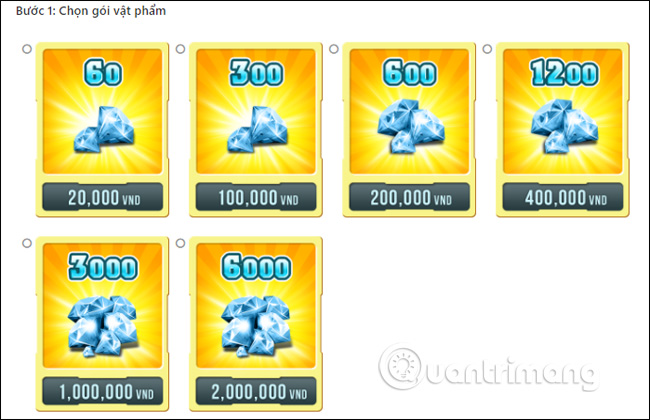
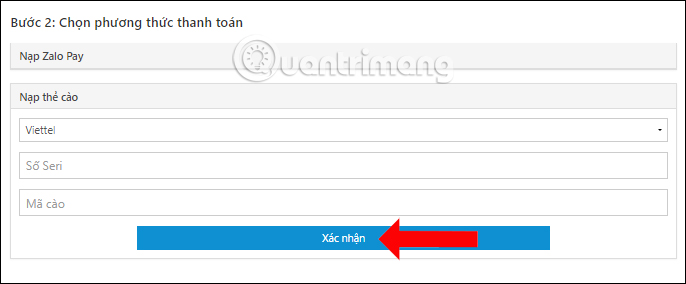
Those images are retained only to identify the legacy workflow. Do not use the shown package quantities or prices as current information.
Protect a scratch card or wallet payment
- Never send the PIN or serial number through chat, email, or social media.
- Do not share a screen while the code is visible.
- Do not let a seller “test” the card before delivery.
- Do not install a payment APK sent in a message.
- Do not give a one-time code, password, or remote-control access.
- Keep the receipt and card until the official balance is delivered.
If a payment was charged but Gems did not arrive
- Do not make a second payment immediately.
- Verify the correct server and character account.
- Keep the transaction ID, package, time, and amount.
- Contact the payment provider and game publisher through verified support channels.
- Share only the transaction details requested; never share a password or full card code.
Warning signs of an unofficial page
- Prices far below the official store;
- a domain with misspellings or extra words;
- requests for the game password or social login credentials;
- payment to a personal bank or wallet account;
- promises of unlimited Gems or a refund after “verification”;
- no way to confirm the exact character and server before payment.
When the game itself no longer exposes a supported purchase channel, the safe conclusion is that a top-up cannot be completed—not that an old portal or third-party seller should be used instead.
Related Articles
 How to Load Cards in the Rules of Survival PC Game7 minutes read
 How to Fix Errors Hanging Game Rules of Survival5 minutes read
 How to Install the Rules of Survival Game on PC7 minutes read
 Types of Vehicles Move in Rules of Survival5 minutes read
 How to Turn on Tilt Mode in Rules of Survival7 minutes read
 How to Change the Player's Name on Rules of Survival4 minutes read
Reader Comments 0
Sign in with email or Google to join the discussion.