Table of Contents
This guide covers evaluating the speaker edifier m1380: good sound quality, high with practical context and easy-to-follow details. Use it to understand the subject and apply the information confidently.
Evaluate the Design of the Edifier M1380 Speaker
The Edifier M1380 speaker has a rather sophisticated and modern design, the sound exit is set to the right and the bass is hidden inside.
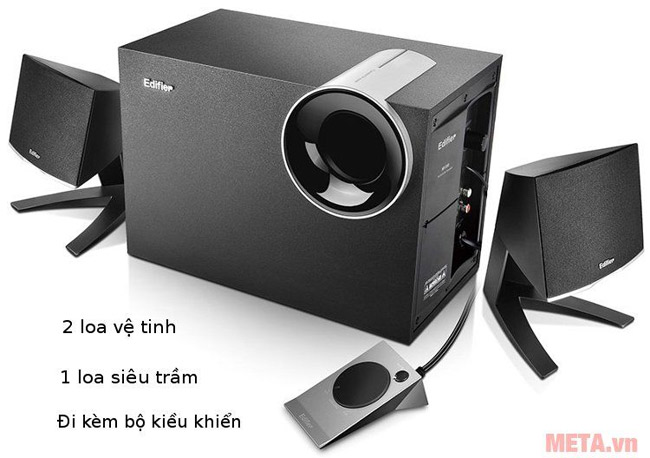 Edifier M1380 includes 1 subwoofer and 2 satellite speakers.
Music player Edifier M1380 also comes with a nice controller, including mute button (Mute) and Volume adjustment dial. In addition, the satellite speaker membrane is clothed with a luxurious silver Edifier logo, a V-shaped speaker base with a unique angular design.
 A pair of compact satellite speakers are designed in a very strong V-shape.
Evaluate the Sound Quality of the Edifier M1380 Speaker
The Edifier M1380 includes a 12W subwoofer subwoofer and two 8W satellite speakers per channel. With a total capacity of up to 28W, it is enough to fill the space for a small room with an area of about 20 square meters.
Evaluation of bass, although the subwoofer has a capacity of only 12W, but because it is a sub-steam type, Edifier M1380 still shows an impressive range of bass. When the bass is at medium level, the bass sound is sufficient and neat and the background for the music is very good. However, increasing the bass to about 2 steps has felt a lot more bass, quite a good force but it seems a bit lacking in depth and a bit of encroachment into the mid range.
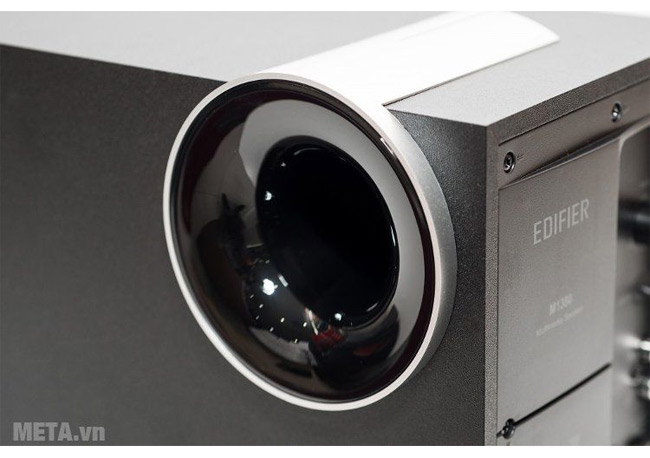 Bass of the speaker Edifier M1380.
In general, the bass of this 2. 1 computer speaker is just enough to use, the point is that the tension is round, smooth and well controlled. With its small size and average capacity, users cannot require an expensive bass range, compared to other competitors in the price range Edifier M1380 has excelled.
The other two bands are mid and treble. Experiencing a few pieces of music we can easily see the mid-range Edifier M1380 is not too thick and sweet but tends to be neutral, natural and rustic. Although the detail of Edifier M1380 is only quite good, it still gives a mid sound that is clear and clear.
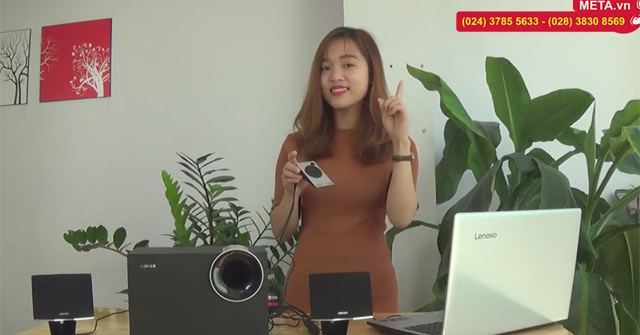 Listen to music delighted with Edifier M1380.
Edifier M1380's Treble also did not disappoint when it performed quite well with high notes, fast-paced melodies without ripple, or broken sounds like some cheaper speakers.
The Pros and Cons of Edifier M1380
Advantages:
- Nice design, neat.
- Integrated control, bass boost / reduction knob.
- Pretty bass sub, bass range is tight, round, compact.
- 2 satellite speakers are fine details, not being shy at high volume levels.
- Play many types of music.
- Using a 3. 5mm jack should connect to various sources.
Defect:
- Bass is not really much and deep for Dance music, EDM.
- Small capacity is only suitable for small rooms (<20m2).
Overall, Edifier M1380 is a pair of speakers worth owning for less than VND 1, 300, 000. Not only to bring good sound, beautiful design that Edifier M1380 also brings satisfaction to users when owning such a quality computer speaker.
You can buy Edifier M1380 speaker at META: HTTPS: //meta. Vn/loa-edifier-m1380-p32755
See other types of speakers:
- Review mobile speaker Shupo BT2017
FAQ
What should I check before following these steps?
Confirm device and software compatibility, save important data, and make sure you have the required permissions, files, and account access.
Why might the process not work?
Common causes include outdated software, missing permissions, incompatible hardware, an unstable connection, or completing a step in the wrong order.
Can I undo the changes if necessary?
That depends on the tool or setting. Use built-in restore options when available, keep a backup, and record the original configuration first.
Related Articles
 Comparing Computer Speakers Edifier R980T and Edifier R1280T6 minutes read
 Soundmax AW 300: Good Music Speaker for Less Than 1. 5 Million VND for Computers6 minutes read
 Bose Home Speaker 500 . Review8 minutes read
 Which Mobile Towing Speakers Are the Best Today?8 minutes read
 6 Great Tips to Help Prolong Speaker Life7 minutes read
 Top 3 Models of Karaoke Speakers Are the Youngest Favorite Today6 minutes read
Reader Comments 0
Sign in with email or Google to join the discussion.