Table of Contents
Billionaire Elon Musk's Company Launches AI Chatbot That Is So Smart It's Scary is easier to approach with a clear overview and reliable steps. This guide organizes the essential information, highlights practical details, and explains what to check along the way.
Key Takeaways
- Follow the recommended steps in order to avoid common mistakes with billionaire elon musk's company launches AI chatbot that is so smart it's scary.
- Review compatibility, settings, or requirements before making changes.
- Use the troubleshooting notes to confirm the final result.
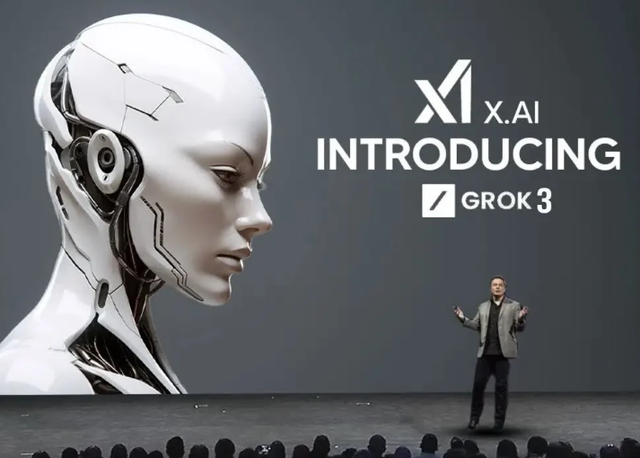
"We are very excited to introduce Grok 3. In our opinion, this AI is capable of being one level stronger than Grok 2 in a very short period of time," billionaire Musk said at the Grok 3 launch livestreamed on his social networking platform X.
XAI also introduced a new intelligent search engine with Grok-3 called Deep Search. Deep Search is a reasoning chatbot that can demonstrate the process of learning keywords and how to respond. It includes research, brainstorming, and data analysis options.
Grok 3 will be available to Premium subscribers on X starting February 18, starting in the U.S. The company will sell the new SuperGrok subscription for the Grok mobile app and Grok.com website.
 TipsMake.com
Billionaire Elon Musk launches Grok 3 model.
Last week, at a conference in Dubai, United Arab Emirates (UAE), Mr. Musk said the model was "scary smart" with strong reasoning abilities.
The billionaire claims it outperformed all other existing models in xAI's internal tests.
XAI says an early version of Grok 3 has received better reviews than current competitors on Chatbot Arena, a crowdfunding site where different AI models are pitted against each other in tests.
Mr. Musk added that the company will continue to improve the model.
Last month, DeepSeek released its R1 AI model, which is on par with or even outperforming popular AI models like OpenAI's ChatGPT, Google's Gemini, Microsoft's CoPilot, and Meta's Llama.
What makes DeepSeek most surprising is that this AI model "only costs 5.6 million USD" to build and operate, while US technology companies are spending hundreds, even billions of USD to develop and operate their own AI models.
Another point that makes DeepSeek attract the attention of the technology world is that this AI tool was born and developed at a time when the US government was applying sanctions, preventing the supply of high-performance AI chips to Chinese companies.
That means DeepSeek was developed and runs on a low-performance AI chip, but still shows impressive power.
Final Thoughts
The most reliable way to handle billionaire elon musk's company launches AI chatbot that is so smart it's scary is to follow the process in order, verify each important setting, and test the result before moving on. Use the guidance above as a practical reference, then adjust the details for your device, software version, or specific goal.
FAQ
What should I know first about Billionaire Elon Musk's Company Launches AI Chatbot That Is So Smart It's Scary?
On February 18, billionaire Elon Musk's xAI company announced its latest artificial intelligence (AI) model, named Grok 3.
How do I get the best results with Billionaire Elon Musk's Company Launches AI Chatbot That Is So Smart It's Scary?
Use current software or equipment, follow the steps in order, review the recommended settings, and test one change at a time so you can identify what improves the result.
What should I do if Billionaire Elon Musk's Company Launches AI Chatbot That Is So Smart It's Scary doesn't work as expected?
Check compatibility, permissions, connectivity, and version-specific settings. Restart the relevant device or app, then repeat the process carefully before trying a more advanced fix.
Related Articles
 New Company of Billionaire Elon Musk Is Studying Technology to Use the Human Brain to Control4 minutes read
 20 Sayings of Billionaire Elon Musk for Those Who Dare to Dream5 minutes read
 Bitcoin Price Plunges After Billionaire Elon Musk's Tweet4 minutes read
 35 Extremely Interesting Facts About Elon Musk You May Not Know Yet13 minutes read
 12 Sentences of Billionaire Elon Musk: the Madman or Genius4 minutes read
 16 Secrets Are Less Known About Tech Village 'iron Man' Elon Musk14 minutes read
Reader Comments 0
Sign in with email or Google to join the discussion.