Table of Contents
This guide covers acer extensa 4630 has outstanding performance with practical context and easy-to-follow details. Use it to understand the subject and apply the information confidently.
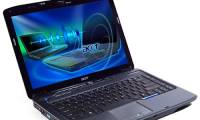
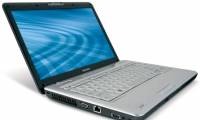
Acer's Extensa 4630 focuses on the full layout of external ports, such as DVD-RW Multi Recorder drive on the right, USB port, VGA, S-Video, FireWire, IEEE, modem, micro phone, mic jack. 5-in-1 card reader, Bluetooth 2. 0 + EDR. Besides, it is an HDMI communication port, allowing connection to home entertainment systems, such as large-size LCD screens and speaker and machine systems Projector, camcorder, Acer EasyPort IV interface allows connection between Acer laptops in the same line. Acer Extensa 4630 uses Acer 3DSonic Stereo sound and integrated speaker system for entertainment right on the device.
 Acer Extensa 4630
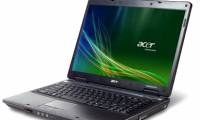
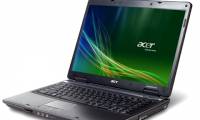
The Acer technology app suite is fully integrated on both the Extensa 4630Z and 4630 models including DASP shockproof technology (shock protection, hard drive protection), SignalUP supports wireless connectivity. Empowering technology includes many management programs such as eDataSecurity (security management), eNet (network information management), ePower Management (battery power management), eRecovery (system recovery), permission to use more efficient. In addition, the Extensa 4630z's power management capability is quite good, with 6-cell battery capacity, users can use more than 3. 5 hours.
 Acer Extensa 4630Z
The Acer Extensa 4630Z-431G25Mn model is built on the Centrino2 platform, using the Intel GL40 Express Mobile chipset, Intel dual-core T4300 CPU (2 x 2. 1 GHz, 1 MB L2 cache, 800 MHz FSB). Acer Extensa 4630-662G25Mn model uses Intel Core 2 Duo T6600 chipset (2 x 2. 2 GHz, 2 MB L2 Cache, 800 MHz FSB). With the above configuration, both models are capable of handling most jobs, such as office apps, web surfing, digital photo browsing, entertainment with most online games and some other games. Ability to solve location with digital music or HD movies is supported by a 250 GB hard drive.
 Simply with a deep gray color, the case only has the Acer logo embossing the corner of the body.
Products are sold at Distributor's system of CMC Distribution.
FAQ
What should I check before following these steps?
Confirm device and software compatibility, save important data, and make sure you have the required permissions, files, and account access.
Why might the process not work?
Common causes include outdated software, missing permissions, incompatible hardware, an unstable connection, or completing a step in the wrong order.
Can I undo the changes if necessary?
That depends on the tool or setting. Use built-in restore options when available, keep a backup, and record the original configuration first.

Reader Comments 0
Sign in with email or Google to join the discussion.