Article on the subject of "ipad tips"

  • 17 great tips to make the best use of the iPad Pro M1 2021

    17 great tips to make the best use of the iPad Pro M1 2021

    during the recent event, apple brought the m1 chip to the latest ipads to help improve work performance. so in this article will help you more tips to use ipad better.
  • How to control the keyboard on the iPad's screen

    How to control the keyboard on the iPad's screen

    if you've ever seen a virtual keyboard on your ipad appear in the middle instead of at the bottom of the screen, there's an easy way to bring it back down.
  • Fix iPad error without receiving Sim

    Fix iPad error without receiving Sim

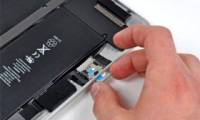
    if you use an ipad, sometimes you encounter a sim installation, but there is no sim installed. (there is no sim installed) and this confuses you? when your ipad tablet suddenly does not accept sim, you should not be too worried, try the following ways to fix the error.
  • How to split screen on iPad

    How to split screen on iPad

    the ability to run screen split applications on iphone and ipad has been around for several years. however, this is one of the least-used features on ios. this is understandable when mobile users rarely use this feature because the phone screen is small, even with the iphone x, the size increases
  • Ways to prevent applications from accessing the microphone on the iPhone

    Ways to prevent applications from accessing the microphone on the iPhone

    how to prevent applications from accessing the microphone on the iphone will help you avoid being overheard through the microphone on the device

  • 17 great tips to make the best use of the iPad Pro M1 2021

    17 great tips to make the best use of the iPad Pro M1 2021

    during the recent event, apple brought the m1 chip to the latest ipads to help improve work performance. so in this article will help you more tips to use ipad better.
  • New tips to distinguish iPad series

    New tips to distinguish iPad series

    all apple tablets simply represent the ipad text on the back of the device. it is not clear whether the ipad 2, new ipad or ipad with retina display have made it difficult for many users to choose the right ipad version, especially with identical tablet designs like ipad 2 and new ipad .
  • 4 tips or data protection on iPad

    4 tips or data protection on iPad

    the following tips will help you set the security code for each application in the ipad, set up a more complex password, remotely lock the data as well as back up data in case you are reluctant to delete data in the ipad.
  • Some useful tips and tricks on iOS 10 devices - iPad (Part 3)

    Some useful tips and tricks on iOS 10 devices - iPad (Part 3)

    you may not know, ipad can read selected text or the entire screen. explore the options in settings => general (general settings) => accessibility (> accessibility) => speech (read text).
  • 15 useful tips on Safari for iPhone and iPad users

    15 useful tips on Safari for iPhone and iPad users

    safari is a browser featured on apple's ios operating system. if you are using this browser on an ipad or iphone, the following 15 tips will help you browse the web more conveniently and quickly.
  • IPad keyboards can type characters faster in iOS 11 and this is how it works

    IPad keyboards can type characters faster in iOS 11 and this is how it works

    the ipad has been updated in ios 11 to become a better productivity tool. along with title tools like multi-tasking, it is possible that many people will find the keyboard fixed. although it may seem a bit confusing at first, it is really a big improvement. this is what has changed and how to use
  • Good tips for iPad 2

    Good tips for iPad 2

    maybe the ipad 2 isn't as full-featured as a laptop or desktop, but you can still use some tricks to better customize and optimize this device.
  • How to control the keyboard on the iPad's screen

    How to control the keyboard on the iPad's screen

    if you've ever seen a virtual keyboard on your ipad appear in the middle instead of at the bottom of the screen, there's an easy way to bring it back down.
  • 11 acceleration tips for iPhone and iPad for a long time

    11 acceleration tips for iPhone and iPad for a long time

    optimized speed for the old iphone and ipad. let's tipsmake.com refer to 11 acceleration tips for iphone, ipad for long time use in this article offline!
  • Fix iPad error without receiving Sim

    Fix iPad error without receiving Sim

    if you use an ipad, sometimes you encounter a sim installation, but there is no sim installed. (there is no sim installed) and this confuses you? when your ipad tablet suddenly does not accept sim, you should not be too worried, try the following ways to fix the error.
  • Which iPad should you buy?

    Which iPad should you buy?

    when the ipad first launched in 2010, only one model was available. now, there are five different ipad models to choose from, each with its own advantages and disadvantages to consider.
  • Good tips on iOS 11 can not be ignored when using iPhone, iPad

    Good tips on iOS 11 can not be ignored when using iPhone, iPad

    summary of good tips on iphone and ipad phones ios 11 version, help users have the most interesting experiences.
  • 28 tips and tricks for iPad 2

    28 tips and tricks for iPad 2

    your tablet may not be as full-featured as a laptop or desktop, but there are still some interesting tricks hidden in it.
  • Some useful tips and tricks on iOS 10 devices - iPod Touch (Part 4)

    Some useful tips and tricks on iOS 10 devices - iPod Touch (Part 4)

    most ios devices: iphone, ipad and ipod touch phones are integrated with apple similar features. and the ios 10 version has been released on ios devices, almost features on the ipad and ipod touch are quite similar, only on iphone, there are some other features.
  • How to split screen on iPad

    How to split screen on iPad

    the ability to run screen split applications on iphone and ipad has been around for several years. however, this is one of the least-used features on ios. this is understandable when mobile users rarely use this feature because the phone screen is small, even with the iphone x, the size increases
  • Tips to fix iPhone and iPad error 'charging without power'

    Tips to fix iPhone and iPad error 'charging without power'

    is your iphone or ipad suddenly unable to charge? try the ways below
  • What is the iPad?

    What is the iPad?

    the ipad is apple's tablet line, running the ios operating system. the first ipad was released on april 3, 2010, and the latest ipad series is now 2018 ipads released on march 27, 2018 and the ipad pro 2g is 10.5 inches (270mm) and 12, 9 inch (330 mm) released on june 13, 2017.
  • Many people regret buying iPad Air, because iPad (A16) is cheaper and better

    Many people regret buying iPad Air, because iPad (A16) is cheaper and better

    many people have done what countless students on social media and in their friend groups do – buy an ipad. however, deciding which ipad model to buy is not easy.
  • Instructions to reset iPad whole episode

    Instructions to reset iPad whole episode

    apple's ipad is the best tablet to date, but no device is perfect. sometimes ipad freezes or acts strange. thankfully, most ipad problems can be solved with a simple reset.
  • Complete the Photos app on iPhone / iPad - Part 4: Edit photos

    Complete the Photos app on iPhone / iPad - Part 4: Edit photos

    summarize tips and tricks when using photos app on iphone and ipad. part 4 will guide how to cut, rotate, edit photos, add effects to photos on applications photos iphone / ipad and how to delete red eyes when taking photos on iphone / ipad