Table of Contents
Get a Free Trial of Bumble Premium
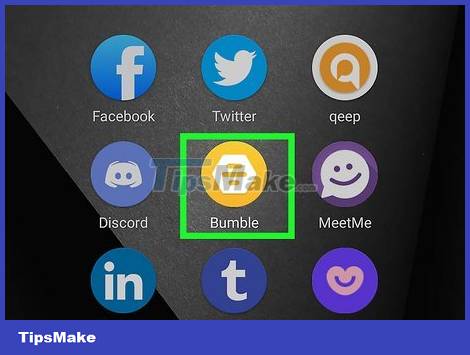
This practical guide explains how to try bumble premium for free with clear steps and useful context. It also covers common requirements, potential problems, and the details that can help you get better results.
Free trials are usually only available for brand new accounts. If you already have an account and skipped the trial, you'll need to wait until Bumble offers a trial period for existing users who haven't tried the trial version before. When such an offer is available, you will receive a notification through the app or the web.
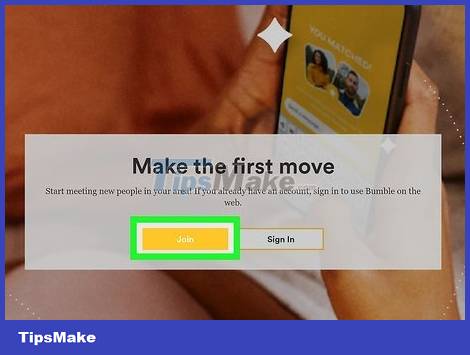
Click or tap Join . You can choose a login method such as a Facebook account or a phone number to create an account.
If you choose to use a phone number, you will receive a code via SMS to enter into the app.
Create a password (if required). You probably won't have to enter a password if you're using a phone or tablet.

Upload your photo and build a profile. You need to add photos that comply with Bumble's guidelines to avoid censorship. Use your best photos and fill out the entries in your profile carefully.

Accept the trial period of Bumble Premium. If you weren't offered a free trial before the first match appeared, try closing and reopening Bumble. Some users report that it can take a few days before the free trial is announced.
As long as you cancel your subscription before the free trial period ends, you will not be billed for Bumble Premium benefits.
Note: you will not be charged unless you decide to continue using Bumble Premium.
If you decide to continue with the Bumble Premium plan, you can cancel at any time.
Is the Bumble Premium Package Worth the Money?

Bumble's free tier has many features. You can pair, text, use basic filters and swipe through profiles, and even expand to one more pairing audience per day at no extra cost. Using Bumble's free tier doesn't mean you won't find love!
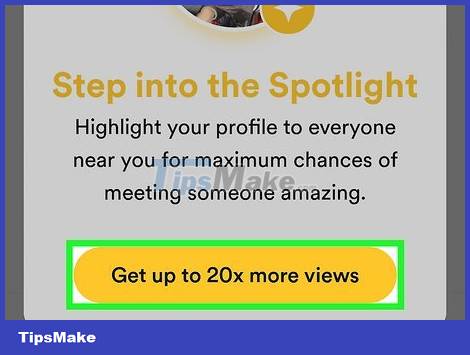
Bumble Premium can make your profile more visible. Spotlight is a Premium feature that can move your profile to the top and you'll be seen by more members. With the Premium plan, you get Spotlight once a week — not available in the free tier.
Even with the free tier, you can still purchase Spotlight as a standalone feature every time you want to use it. That lets you use Spotlight whenever you need it, without depending on a recurring billing membership.

The Premium package allows us to see who likes us. With the free account, you won't be able to see Beeline because the user's photo will be blurred. If you want to know who liked you before you swiped, Premium is the upgrade to go for.
The Premium plan is also the solution if you want to use more features like SuperSwipes, Spotlight, extended response time to pair, re-pair, and so on.

The Advanced Filters of the Premium plan are useful in densely populated areas. If a lot of people in your area are using Bumble, advanced filters and unlimited swiping can help you filter through a large number of potential matches to find someone you really like.

The Travel Mode feature is essential for long-distance relationships. The Premium plan will satisfy you if you want to date outside of your neighborhood, as Travel Mode allows you to pair with any region.
Conclusion
Understanding Bumble Premium makes it easier to compare options, avoid common mistakes, and apply the information in this guide more effectively. Review the relevant requirements before making changes or choosing a solution.
FAQ
How do you try bumble premium for free?
Follow the steps in this guide in order, confirm the required settings or tools, and verify the result before making additional changes.
Is it safe to try bumble premium for free?
It is generally safe when you follow the recommended instructions, use trusted tools, and avoid changing settings you do not understand.
What should you do if the process does not work?
Recheck the requirements, restart the device or application when appropriate, and review each step for missed settings or compatibility issues.
Related Articles
 Can You Pass the Photo Verification on Bumble? Complete Guide4 minutes read
 Fitbit Free Premium Pack for 90 Days3 minutes read
 Okayfreedom VPN Premium Offers for $ 29.95, Are Free of Copyright4 minutes read
 How to Try Spotify Premium for Free: Clear Instructions7 minutes read
 Battlefield 1 and Battlefield 4 Are Available for Free to Download4 minutes read
 How to Sign up for a Youtube Premium Trial6 minutes read
Reader Comments 0
Sign in with email or Google to join the discussion.