Table of Contents
This guide explains how to order food on the phone with now. vn application using a clear, step-by-step process. It also highlights the settings and checks that can help you avoid common errors.
Users often order food at a familiar restaurant, or search online if they find a store that matches. Just contact the store and order the food and wait for someone to bring it in. But now we have the Now. vn food ordering app, in addition to ordering food, users can also use the services of eating, repairing and beauty, even shopping.
If your work is busy and you don't have time to cook, you can order food on Now. vn, there are many types of food on this app for you to choose. Currently, Now. vn is being implemented in many big cities like Hanoi, Ho Chi Minh City, Da Nang. You just need to choose the food you like and wait for Shipper to transfer to your home, details of how to order Food on Now. vn you can see below this article.
- Instructions for ordering food through Zalo
- Prestigious fast food, fast food delivery applications
- Instructions for ordering food through GrabFood
Guide to ordering food on Now. vn
- Download Now. vn for iOS
- Download Now. vn for Android
Step 1: First start up the app, allow access to the location when in use, then click the search bar for food or services. Then choose the city living.


Step 2: After selecting the location, click Done To determine. Go outside and type the name of the dish, under the search bar, click Category To get more options.


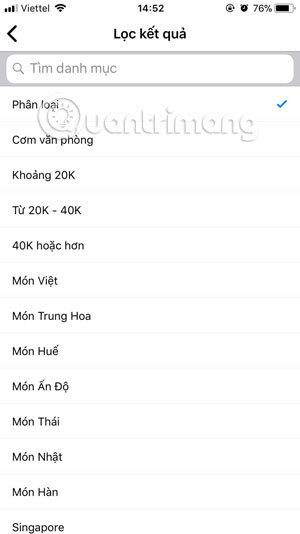
Step 3: In the Category section you will find a number of categories such as price, origin of the dish. After you have selected the category you want to find, click the store you want to order food, some Shop you can find discount codes.
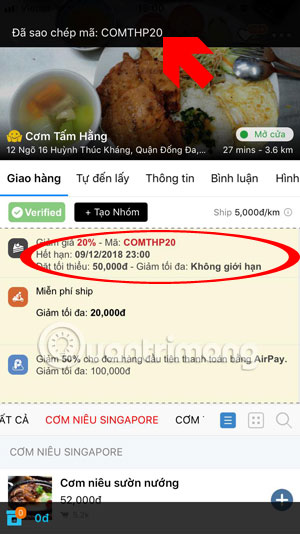
Step 4: When needed to add any dish of the store, just click the plus icon to add it to the cart, some items like bread will have the option of what the cake will have. You just need to select the kernel and click Add to the basket .
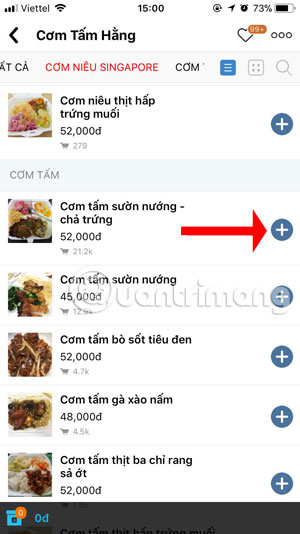
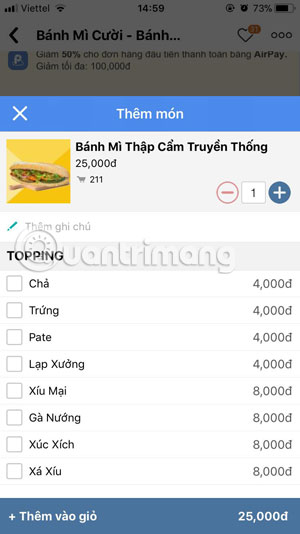
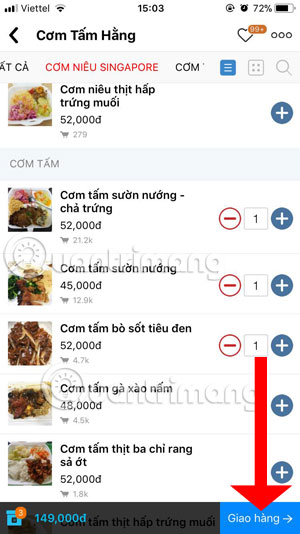
Step 5: As for dishes like rice, you just choose to add to the cart and click Delivery Below, if it is the first time you will have to provide the phone number to authenticate with Now. vn, click Add phone number.
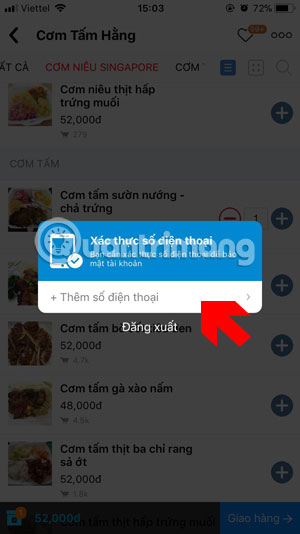
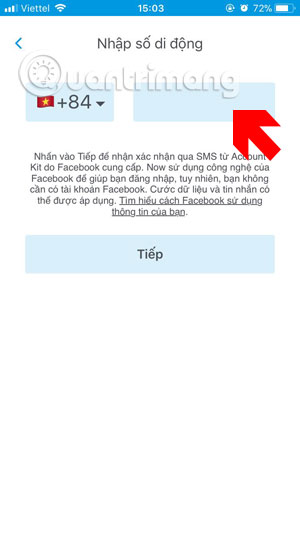
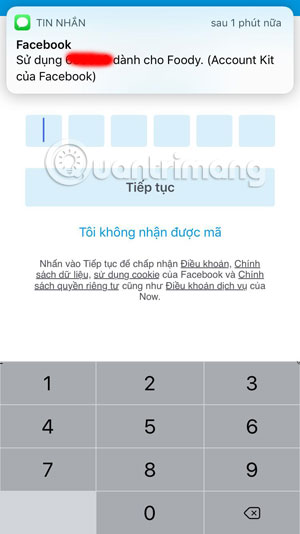
Step 6: Next just enter your mobile number in the frame, then click Next , wait a few seconds for Now. vn to send the authentication code to your phone number, enter the 6-digit authentication code and click Continue.
Step 7: Finally check the place of delivery, food and the price to pay, click Order , if there is wallet for AirPay, you can pay with money from AirPay wallet. Payment from AirPay is always more favorable than Now. vn.
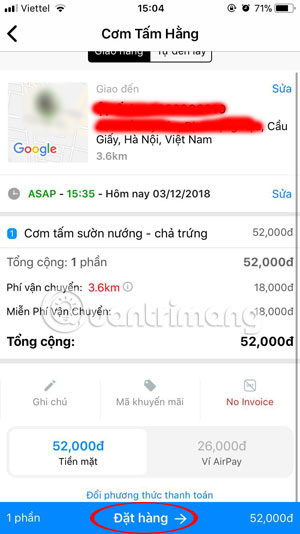
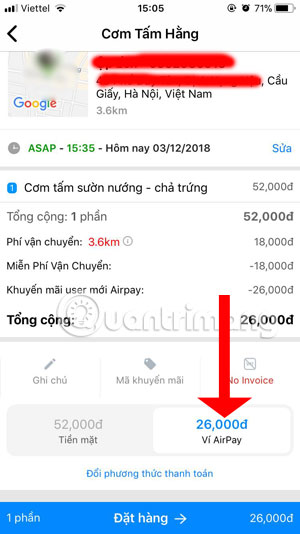
Delivery time of Now. vn will be from 7 am to 22 pm, if after that hour you are hungry, you must cook your own food, while the time from ordering to Ship will depend on the distance but it will be long or fast.
If you are a food lover and you love to eat food, then surely you will have special applications for food shooting with special effects and color filters only for "virtual living" With furniture eat. You can refer to the app to capture beautiful food on the phone via article The indispensable applications for believers check-in food.
- 10 simple ways to eliminate the habit of eating snacks after dinner
- 12 interesting facts about food that everyone should know
- Business secrets in the fast food industry
- Top 10 common mistakes when processing everyday dishes
FAQ
What should I prepare before I order food on the phone with now. vn application?
Review the requirements in the guide, confirm that your device or software is compatible, and save important work before changing settings related to order food on the phone with now. vn application.
Why might order food on the phone with now. vn application not work as expected?
The most common causes are incompatible versions, missing permissions, incorrect settings, or an interrupted internet connection. Recheck each step and restart the app or device when appropriate.
Can beginners follow these order food on the phone with now. vn application steps?
Yes. Follow the steps in order, avoid skipping confirmation screens, and compare your interface with the screenshots because labels may differ slightly between versions.
Related Articles
 Instructions for Ordering Food Through Zalo5 minutes read
 Instructions for Ordering Food Through Grabfood6 minutes read
 The Indispensable Application for Believers Check-in Food5 minutes read
 How to Get Food During Coronavirus: Step-by-Step Guide15 minutes read
 Differentiate Between Pvc and Pe Food Wrap, Which Is Safe and4 minutes read
 Big Mistakes to Avoid When Ordering Food: Complete Guide7 minutes read
Reader Comments 0
Sign in with email or Google to join the discussion.