Table of Contents
This guide covers gigabyte launched a new 14-inch q2440 computer with practical context and easy-to-follow details. Use it to understand the subject and apply the information confidently.
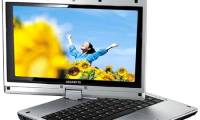
The Gigabyte Q2440 is said to perfectly meet the daily computing needs as well as all the needs of research, work and entertainment.
You can choose Intel Core third-generation processors depending on their needs, RAM 2/4 GB DDR III can be upgraded to a maximum of 8 GB, Intel HD Graphics 4000 graphics, Mobile Intel chipsets HM76 Express, 2. 5 inch hard drive, 9. 5 mm thick, 54000 rpm and optional 320/500/640/750 GB capacity.
Although its size is only 14 inches, it still fully integrates the common connection ports including 2 USB 3. 0 ports, 1 USB 2. 0 port, HDMI, D-Sub, RJ45, 3. 5mm jack, card reader 6 in 1, supports connecting LAN Ethernet, Wi-Fi and Bluetooth 4. 0.
It will also have a Super-Multi DVD optical drive, a 1. 3 megapixel webcam for video chat, a 6-cell battery, and two built-in 1. 5 watt power speakers.
The Gigabyte Q2440 measures 343 x 255 x 25. 4 mm, weighing 2. 1 kg (including battery), optional Windows 7 Home Premium or Windows 7 Professional.
Gigabyte has not yet announced the exact time it will be available and the price of the device.
FAQ
What should I check before following these steps?
Confirm device and software compatibility, save important data, and make sure you have the required permissions, files, and account access.
Why might the process not work?
Common causes include outdated software, missing permissions, incompatible hardware, an unstable connection, or completing a step in the wrong order.
Can I undo the changes if necessary?
That depends on the tool or setting. Use built-in restore options when available, keep a backup, and record the original configuration first.
Related Articles
 Gigabyte Introduced a 14-inch Ultrabook3 minutes read
 Gigabyte Came Out with a Massive Gaming Laptop3 minutes read
 Gigabyte Launched Laptops into Vietnam3 minutes read
 Gigabyte Launched Notebooks and Cheap Netbooks3 minutes read
 Gigabyte Launched a 'Puzzle' Laptop3 minutes read
 New Laptops Come on the Market Early This Year6 minutes read
Reader Comments 0
Sign in with email or Google to join the discussion.