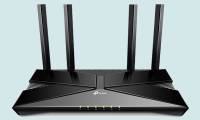
Article on the subject of "wi-fi 6 router"
-
How to enable IPv6 on a TP-Link WiFi 6 router
your internet service provider should offer ipv6 connectivity, and if possible, you should enable ipv6 on your router. the benefits of making this switch include better security and slightly improved speeds.
-
Learn about Wi-Fi 6
wi-fi 6 is the latest update to the wireless network standard. wi-fi 6 is based on the ieee 802.11ax standard, with faster speeds, larger capacity and improved power performance than its predecessor 802.11ac standard.
-
Learn about mesh routers
does your home have dead spots where wi-fi signals cannot reach, such as basements, attics or garages? in such cases, using a mesh router may be useful.
-
How to change DNS server on the most popular routers
changing the dns server settings on your router is not difficult, but every manufacturer uses their own custom interface, which means the process can be very different depending on which router you are owned.
-
Explain the rule 30-30-30 when resetting the router
technology enthusiasts have developed a so-called 30-30-30 rule when the hard reset router helps bring any router back to its original default settings.
-
What is a router? Operating principle of Router
to better understand what a router is, let's take a look at the article below with huy khang. router is a device that spreads wifi waves to connect to many devices.
-
Instructions to buy a Wi-Fi Router
in this article we will give you some tips on choosing the best router for your needs.
-
Set up a new router using IP address 192.168.1.1
192.168.1.1 ip address is often used by linksys broadband routers and sometimes by other router brands or home network gateway devices.
-
Instructions for choosing the right Wi-Fi router
how to choose a router to suit your needs? in this article we will give you some tips on choosing the best router for your needs.
-
How to connect a Linksys router to another router
cascading is a term used when connecting one router to another. in this case, the first router could be linksys or another provider and is called the primary router. the second router must be from linksys and called the secondary router.
-
The router is not as safe as you think
it all depends on whether your router is secure. here are 10 ways that your router may be exploited by hackers and other intruders.
-
Reasons why you might not need a Wi-Fi 7 router yet.
most people upgrading to wi-fi 7 now won't notice any difference – because their homes aren't equipped to take advantage of it.
-
What is a router? What does a router do on the network?
what is a router? a router is a network device that forwards data packets between computer networks. understandably, routers direct traffic on the internet.
-
If your router is on this list, upgrade immediately!
routers are vital components of network infrastructure that can last for decades. but if they get too old, hackers can exploit them to do bad things.
-
How to set up VPN on the router
every time you connect to the internet you have to use a vpn application, so it is very annoying and the phone-based or computer-based application cannot protect the copy from other devices, such as smart tvs or game consoles. so the best method is to install a vpn for the router.
-
Ways to find IP Router address on Windows 10
to be able to find the router ip address on win 10, we can use many different ways, such as searching by available information on the computer or using other specialized ip address finder software.
-
Review the Cisco RV180 VPN router
cisco's small business router lineup has many models. today's article will review the cisco rv180 vpn router. this router has wifi 802.11b / g / n standard, 2.4ghz band, supports 4 ssids based on vlan ...
-
5 router features with OpenWRT that will surprise you
it's not uncommon for a router to become irrelevant after a year. but these devices deserve to be improved. with openwrt, you can really give them more.
-
6 replacement firmware for the router
this might be surprising, but your router has an operating system and software running on it. this is called firmware, software designed for specific hardware.
-
Why does the router have a USB port?
if you look behind a modern router, chances are there's a usb port there. is the usb device plugged into the router? this looks weird. so why do routers have usb ports and how can you take advantage of them?
-
192.168.1.2: Common router IP address
192.168.1.2 is a private, default ip address for some types of home broadband routing. it is also often assigned to individual devices on a home network when a router has an ip address of 192.168.1.1.
-
How to Secure WiFi with tips on the router
router controls access to home wifi network and all phones, tablets, and laptops. etc .. connect via router. it is therefore essential to keep the router as secure as possible.