Article on the subject of "check windows update"
-
Windows Update Rolled Back? Here's How to Fix It
sometimes after installing an update, windows fails to restore factory settings when you restart your computer. the screen may display the message undoing changes to your computer during the restart process.
-
Tips to avoid faulty, problematic Windows updates
windows updates can cause errors, compatibility issues, or even slow down your system. here are some tips to avoid faulty windows updates.
-
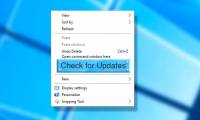
Instructions for adding 'Check for Updates' option to Windows Context Menu
windows 10 is gradually switching from control panel to new settings application. in this application, you can easily check for new updates by navigating to update and security -> windows update, then clicking check for updates. however, you can do this faster by switching the check for updates

-
Microsoft warns, clicking Check for Updates will make the new Windows 10 update unstable
we do not encourage you to click on the 'check for updates' button. this is a new advice given by microsoft to users to avoid problems when updating a new version of windows 10.
-
Guide to fix Windows 7 update check error
how to fix the most effective windows 7 update check error guided by microsoft. if windows update does not work, please see the following tutorial.
-
Instructions for adding 'Check for Updates' option to Windows Context Menu
windows 10 is gradually switching from control panel to new settings application. in this application, you can easily check for new updates by navigating to update and security -> windows update, then clicking check for updates. however, you can do this faster by switching the check for updates

-
Windows Update Rolled Back? Here's How to Fix It
sometimes after installing an update, windows fails to restore factory settings when you restart your computer. the screen may display the message undoing changes to your computer during the restart process.
-
Fixing errors Windows Update Service or BITS Service is missing on Windows Service
in many cases when malicious software (malware) attacks, it is possible that services (windows services) and other important services (services) such as bits (background intelligent transfer service) may be error or deleted from the system. in these cases windows cannot check or download new
-
How to check and update new Git version on Windows
similar to other software and tools, you should ensure that your git application is always updated to the latest version. this simple job will bring a lot of benefits.
-
How to check the Windows 10 version on the computer
windows 10 fall creators update has a version number of 1709. it means that if your computer is running windows with a version number of 1706 or any version smaller than 1709, it has not been updated to windows 10 fall creators update.
-
Instructions for creating Windows Update shortcuts
if you regularly check for windows updates, setting up a desktop shortcut for windows update will save you time.
-
Turn off the Win 10 update, stop Windows 10 from updating automatically
turn off windows 10 update, block win 10 automatically update or turn off the automatic update feature on windows 10, you will have to do these things manually because the option to turn off update completely is no longer available.
-
Windows users need to update their software immediately
recently, microsoft has officially released a new update, helping to fix 108 critical vulnerabilities.
-
Tips to avoid faulty, problematic Windows updates
windows updates can cause errors, compatibility issues, or even slow down your system. here are some tips to avoid faulty windows updates.
-
4 Ways to Fix Error Not Being Able to Update Win 7
cannot update win 7 to improve errors of the previous version. hoang ha pc will guide you how to fix the update check error in the simplest way.
-
Guiding to check and supplement VinaPhone subscription information to prevent one-way locking at home
in the following article, network administrator will show you how to check if your subscription is in the right update and how to update online.
-
How to update Win 7, update Windows 7 to the latest version
updating windows 7 and security patches for windows 7 will help you limit the risk of dangerous malware or ransomware infections such as wannacry.
-
Why do your Windows updates keep failing (it's not the internet)?
windows update has recently stopped installing patches on some people's computers. the download bar moves a little, then freezes and returns the same error code every time.
-
How to hide Windows Update on Windows 10
unlike previous windows versions, your windows 10 device is always upgraded with the latest features and fixes. by default windows 10 automatically downloads and installs available updates. however in one case when a windows or driver update can temporarily cause errors on your device.
-
Microsoft releases 'improved version' PC Health Check app
in june of this year, microsoft released a new application called pc health check, which can be used to check if a user's pc is eligible for the windows 11 update.
-
Microsoft releases PC Health Check app for Windows 10 in update KB5005463
microsoft is rolling out a new version of the pc health check app to windows 10 users as part of the periodic update kb5005463.
-
Windows Update crashes, this is what you need to do
in some cases windows update may refuse if it cannot install individual updates. this can happen on windows 7, 8 and 10, but especially happens on windows 7.
-
Windows Update Blocker 1.6 - Download Windows Update Blocker here
windows update blocker is a freeware that helps you to completely disable or enable automatic updates on your windows system, with just one click.