Article on the subject of "mac defender"
-
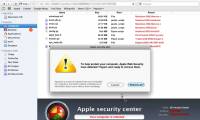
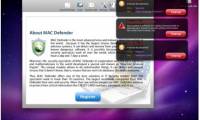
Apple instructs how to defeat Mac Defender
apple is about to unveil the 'special remedy' for malware mac defender. until the official patch reached the user, 'apple' did not forget to post the instructions ...
-
Avast Software released a virus test for Mac
this antivirus software is completely new software compared to ondrej vicek, avast's existing security software for mac computers.
-
Malware on Mac updates the new version
'apple' has released a temporary fix to block the widespread trend of fake virus software in the form of a computer protection program on mac.
-
Trojan tricked money on Mac belongs to Russian people?
security expert brian krebs accused russia's chronopay company of using mac defender fake antivirus software. chronopay denied this and threatened to sue.
-
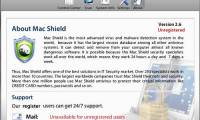
Malware that attacks Mac OS X adds 'cousins'
after mac defender went to macguard, it was scrapped by security companies, 'macshield' cousins were born with the same method of deceiving mac os x users, infiltrating the system.
-
Shadow Defender - Download Shadow Defender here
shadow defender takes the approach: create a virtual space on the computer (shadow mode) and then redirect any changes on the system to it, so that any malicious activity will not affect the system. real system.
-
Instructions for using Windows Defender
as we all know, windows 10 has a built-in real-time anti-virus program called windows defender and actual testing shows that this tool works relatively effectively.
-
How to turn off the Windows Defender Summary notification on Windows 10
windows defender is a computer security program that detects viruses available on windows 10 computers. users will receive detailed operation of the tool via the windows defender summary notice.
-
How to fix errors cannot open Windows Defender on Windows 7/8/10
windows defender is one of the most effective anti-virus, malware, malware, spyware programs ... and protects your computer safely. here are some ways to fix windows defender that cannot be opened in windows 7/8/10
-
How to protect files from being mistakenly deleted by Windows Defender
windows defender is an antivirus tool, securing computer systems with the ability to eliminate malware. but what if this tool accidentally deletes your important data?
-
How to add exceptions in Windows Defender on Windows 10
windows defender is integrated into windows 10 to find malware. to improve performance for tasks such as compiling code or running virtual machines, you can add exceptions and windows defender will never scan those files.
-
Microsoft Defender ATP will be available on iOS and Android later this year
over 13 years of existence and improvement, microsoft defender is still a familiar name for windows users, even macs, and will most likely be both ios and android users.
-
Use Windows Defender with Command Prompt on Windows 10
windows defender is a free antivirus software that microsoft has created to combat malware on computers. this security software is integrated on windows 10 and windows 8.1. windows defender will find and remove viruses, spyware, rootkits and bootkits and some other malicious code on your computer.
-
How to use Windows Defender to scan programs that do not want PUP?
windows defender is a security and anti-virus software built into windows. users can use windows defender to remove viruses and malware on their windows 10 computers.
-
How to kill viruses with Windows Defender Offline on Windows 10 Creators
windows defender on windows 10 creators has been upgraded and the interface is changed to windows defender security center. and users can activate the windows defender offline feature on windows 10 creators.
-
Add the 'Scan with Windows Defender' command to the right-click menu in Windows 8
windows 8.1 users may not need to install any antivirus program to protect because it itself is equipped with windows defender by microsoft. basically, windows defender provides good protection for users to use safely. however, when windows defender is needed to scan suspected files or folders, you
-
How to Turn Off Windows Defender in Windows 10
this wikihow teaches you how to turn off windows defender, both temporarily and 'permanently', in windows 10. while windows defender can be disabled until you restart your computer from within settings, you can prevent windows defender...
-
Compare Microsoft Defender and Bitdefender
microsoft defender is microsoft's default security solution for windows 10 and 11. this option is good enough for most users, as it has dramatically improved threat detection and features over the years. via.
-
How to see which Windows Defender has found malware on a PC
if you use windows defender antivirus to detect and remove malware on windows 10, you can easily monitor the performance of defender with an integrated list of all threats that the utility has detected on your pc. .
-
Instructions to turn off Windows Defender completely on Windows 10
- - windows defender is a free antivirus that comes with windows 10, completely turning off windows defender networking to an unexpected effect, helping weak computers using win 10 to be smoother. below techz will show you how to turn off windows defender completely on windows 10.
-
How to Turn on Windows Defender
today's tipsmake will show you how to turn on windows defender on your pc. if you've turned off microsoft defender (formerly windows defender) since you last started your computer, you can turn it back on from the windows security program. if you recently installed an anti-virus program and
-
How to use Windows Defender increases security when surfing the web
the windows defender utility on the browser enhances your computer's security when we surf the web.
-
How to Run Windows Defender Offline
windows defender offline is a specialized tool that detects and removes persistent malware such as rootkits. windows defender offline is used in the event that windows defender or microsoft security essentials detects an anomaly that...
-
Windows Defender is disabled or inactive, this is a fix
in some cases when opening windows defender you receive an error message: windows defender has been turned off, and it is not monitoring your computer.
-
Microsoft Defender Windows Defender before Kaspersky's complaint
recently, microsoft has spoken out to defend the measures windows defender has taken, that they only do so to protect customers.