Article on the subject of "chrome error fix"
-
Quickly fix the 'This site can't be reached' error on Chrome.
when receiving a message on chrome indicating that a website cannot be accessed, users have many ways to resolve this error. there are many reasons why a website might be blocked on chrome, such as region restrictions, firewall errors, dns issues, etc.
-
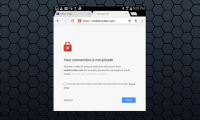
Quickly fix the 'Your connection is not private' error on Chrome browser.
what causes the 'your connection is not private' error on chrome browser? how can you fix it? tipsmake.com will guide you now. please read on.
-
Quickly fix the 'This site can't be reached' error on Chrome.
when receiving a message on chrome indicating that a website cannot be accessed, users have many ways to resolve this error. there are many reasons why a website might be blocked on chrome, such as region restrictions, firewall errors, dns issues, etc.
-
Quick fix error 107 net :: ERR_SSL_PROTOCOL_ERROR: SSL protocol error on Chrome browser
recently, many users of chrome browser reflect that in the process of logging in gmail, facebook, twitter or linkedin, an error message appears on the screen: an ssl connection error. không thể tạo một kết nối kết nối đến máy phục vụ. có thể là một vấn đề với máy phục vụ hoặc nó cần thiết yêu cầu
-
Chrome will also display an error code, similar to Windows 'blue screen of death'
google chrome will also support displaying error codes, similar to the familiar ones you've seen on windows crash notification pages.
-
5 solutions to fix 'DNS_Probe_Finished_Bad_Config' error in Chrome browser
dns_probe_finished_bad_config error and dns_probe_finished_nxdomain error are dns configuration errors. if this error occurs, dns (domain name system) cannot access the website you requested.
-
How to fix the error can not save, download photos from Chrome to your computer
can't load images on google chrome browser? please refer to this article to find out how to fix it!
-
Fix the abrupt Flash Player error on Google Chrome
google chrome is the default browser for many users because it is easy to use and has many features. however, there are some errors on google chrome that users cannot find a way to fix. one of the problems is that the flash player is suddenly stopped for unknown reasons. this happens when you are
-
Fix the 'This site can't be reached' error in Chrome browser
if you are a windows user, when you encounter a 'this site can't be reached' error on chrome browser, you will probably think about losing your network connection and will apply a solution to fix the loss immediately with troubleshooter. however, this troubleshooting process only focuses on
-
How to fix RESULT_CODE_HUNG error in Google Chrome
is chrome stopping your browser due to the result_code_hung error? google's browser can experience this problem due to poor internet connection, outdated chrome version or full cache, among many other reasons.
-
Fix the 'Your connection is not private' error in Chrome browser
basically, the cause of the 'your connection is not private' error or the 'net :: err_cert_date_invalid' error on the chrome browser is due to an ssl error. ssl (secure sockets layer) is used by websites to store all the information you enter on a secure and private page. the cause of the ssl
-
Fix Chrome browser error showing a blank screen
there are many causes of chrome browser error showing a blank screen or chrome crashing, freezing, such as virus attacks, errors after updating chrome or profile chrome, etc.. this error, please refer to the following article of network administrator.
-
Steps to fix the 'Download Failed Network Error' error on Chrome
download errors are common on google chrome and they come in many forms. in this article, we will explore the 'download failed – network error' problem. this error message usually appears in the middle of the download process.
-
How to fix the colorless title bar error in Chrome 67 on Windows 10
updating windows 10 as the title bar color in chrome 67 disappears. it is unclear what the cause of this error comes from chrome or microsoft, but fortunately fixing this error is quite simple.
-
How to fix Google Chrome code 7 update error 0x80040905
error updating google chrome code 7 0x80040905 will cause the download and installation of the new version to be problematic, unable to experience the new version of the browser.
-
How to fix Chrome 'Failed - Virus Detected' error on Windows
are you getting the 'failed - virus detected' error when downloading specific files through chrome? this problem usually occurs when chrome or windows defender detects a virus in a potentially malicious file that you are downloading.
-
Fix errors not typing Vietnamese on Chrome
you encounter an error that cannot type vietnamese when using chrome browser after a period of use. to fix the error of not typing vietnamese on chrome, you can refer to our following simple way.
-
Fixing the icon Bookmark error on Chrome browser is 'missing'
on a beautiful day when i opened the chrome browser and i realized that the bookmark icon in the address bar of the browser was suddenly 'missing', and the chrome profile also failed. to fix this error you will have to create a new chrome profile.
-
How to fix SSL connection errors on Chrome and Firefox
occasionally, when you access the internet with chrome or firefox, you find that the browser reports an ssl error that does not connect to the internet. you are not sure what this is for? you can refer to the article below to fix this connection error.
-
Fix Aw Snap errors on Google Chrome in 4 ways
aw, snap is one of the common errors when accessing the web with chrome browser. this error occurs mainly because chrome cannot access a website and users usually just need to refresh again. however, if f5 is continuous, it is still not possible, then you can refer to the instructions below of
-
Fixing the Scrolling feature on Chrome browser does not work
chrome is currently one of the most popular and used browsers. and like other browsers, errors are inevitable in the process of using the user. recently, many users reflect that in the process of using chrome, the scroll feature does not work, they cannot scroll up or scroll down on the browser
-
How to fix Google Chrome error black screen
google chrome is a popular browser on both mobile and desktop. one of the common problems chrome users encounter is a black screen error. if you also encounter this problem, there are several ways to fix the problem.