Article on the subject of "application for windows 8.1"
-
Top 10 free apps worthwhile for Windows 8.1
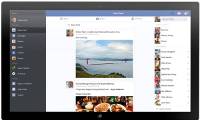
although it has been integrated into the people function on windows 8.1, nothing is possible and convenient with the application created by facebook itself. the interface is quite similar to the website and the well-designed snap side bar gives users a comfortable and convenient experience.
-
Viber has a version running on Windows 8.1
according to neowin, similar to the version running on smartphones, viber version of windows rt / windows 8.1 will still be fully complemented with free calling features, group chat or create funny stickers while chatting. .
-
How to fix the error does not install the default Windows 10 application
windows 10 supports users to install the default browser or application on the computer. files and links will automatically be opened according to the default installed application. however, if the settings is faulty and we cannot set the default application on windows 10, how do we do it?
-
How to reset applications on Windows computers
if your settings or microsoft store app isn't working properly, is crashing, or won't open, you can reset the app.
-
5 ways to open applications in Windows 10
opening an application on windows 10 is easy if you have pinned the application to the start menu. if not, there is always an apps list - the list of applications in the start menu will allow you to launch most of your applications.
-
There is an official Facebook application for Windows 8.1
microsoft's windows 8.1 operating system has received a very important application: facebook social networking application. microsoft has revealed this application for a long time, at the build conference in june, and now the facebook application is officially available on the windows store, just
-
Demo video VLC on Windows Phone
vlc application development team today posted a new video that shows the application works on windows phone. developer thomas nigro also said that the application currently has bugs that need to be fixed to get through the store.
-
Windows 8 application price from 1.5 USD to 1,000 USD
users are allowed to try 7 days before deciding to buy. microsoft also encourages developers by reducing fees from 30% to 20% for applications that earn $ 25,000 or more.
-
Instructions to display application names on Windows 11 Taskbar
in the recent update, windows 11 system allows users to control whether the application name appears on the taskbar or not, depending on the user's needs.
-
Instructions for completely removing the 3D Builder application on Windows 10
windows 10 is not only added but also has other features. one of the new default applications built into windows 10 is the 3d builder application, designed to create, edit, and 3d print models for a 3d printer. however, although 3d printers are affordable, not everyone needs to use the 3d builder
-
Instructions to uninstall the Modern application on Windows 10 / 8.1 / 8
on windows 10 and windows 8, microsoft integrates a number of pre-installed modern applications on the system. however, often, users rarely and hardly use these applications and often download other applications to the machine to install and use.
-
How to check the unified Windows application version (UWP) in Windows 10
sometimes it is not necessary to know the version information of an application, but when the application fails or the feature is missing, this is the first thing the user should check.
-
This is how to reset application data on Windows 10
with windows 10 anniversary update, users can easily reset application data without having to uninstall or reinstall the application. users can reset application data in case the application fails or simply want to restore the application to the default settings.
-
Summary of several ways to quickly access the Settings application on Windows 10
on windows 10, microsoft integrated a new application called settings. this settings application is a metro application created by microsoft to replace the classic control panel application. the windows password change option is now no longer available on the control panel like in previous
-
What's new in Windows 8 RTM?
the complete version of windows 8 adds a variety of customization options for the wallpaper, bing application and more new metro applications.
-
How to reset Windows Security apps in Windows 10
if windows security crashes or fails to open, you can reset and / or reregister the windows security application to fix the problem. this guide will show you how to reset and re-register windows security app in windows 10.
-
Windows Tricks That Will Instantly Stop Any Frozen Application
sometimes, an application on windows can suddenly stop responding. that's annoying enough on its own, but it's even worse if you don't know how to force the application to close. luckily, it's easy enough to do.
-
Summary of 12 ways to quickly access the Settings application on Windows 10
on windows 10, microsoft integrates a new application called settings. this settings application is a metro application created by microsoft to replace the classic control panel application. the option to change windows password is no longer available on control panel like previous versions, and if
-
Instructions to enable or disable SmartScreen on Windows 10
basically, windows smartscreen is a tool, a feature to check the safety of a file or application that can be harmful on windows 10 systems. this feature is integrated from windows 8. when you run a file or application using unknown sources, windows will block this application and re-display the
-
How to use VPN Client Pro fake IP on Windows 10
vpn client pro is a vpn application on windows 10, which provides unlimited virtual private network access.
-
How to run Mac applications on Windows 10
have you ever found a great mac software and want to use it on windows? this article will show you how to run the mac application on a windows 10 machine.
-
Microsoft will remove the PDF Reader application on Windows 10
recently, microsoft has quietly revealed that it will remove the independent pdf reader application on windows 10 because it will be replaced by readers on the edge browser. the company has stopped supporting the application on windows 10 mobile devices and plans to stop using it on windows 10