Article on the subject of "hardware devices"

  • Learn about what drivers are and how to use drivers

    Learn about what drivers are and how to use drivers

    driver is a bridge between hardware and software, allowing computer programs, operating systems and other applications to interact with a hardware device.
  • Optimize the PC system to play games

    Optimize the PC system to play games

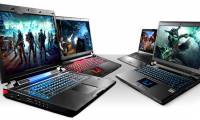
    today, entertainment applications and games are growing strongly in both features and hardware configuration requirements. to be able to enjoy these powerful applications ...
  • 7 rules to remember when naming hardware devices

    7 rules to remember when naming hardware devices

    using the right device name can have many positive benefits, make it more productive, or bring interest. here are seven rules to keep in mind when naming hardware devices.
  • How to view computer ID, check hardware ID

    How to view computer ID, check hardware ID

    in addition to checking basic information of the computer, the hardware id is also necessary to easily look up information of the manufacturer and model of hardware devices.
  • Part III: Troubleshooting hardware

    Part III: Troubleshooting hardware

    hardware in the system are devices that are not easily damaged. however, it is quite possible that one good day these devices will malfunction and the blue screen error is a dangerous symptom that informs users that they have reached their lifespan.
  • What is Windows Device Manager?  How to use it?

    What is Windows Device Manager? How to use it?

    windows device manager is an important tool in the windows operating system, listing all the list of hardware devices recognized by windows, including problems with unrecognized device drivers.
  • Why You Shouldn't Waste Money Buying Apple Hardware as a Student

    Why You Shouldn't Waste Money Buying Apple Hardware as a Student

    buying a laptop for school is a big decision. while apple devices may seem like the obvious choice, there are a few factors to consider before you make your purchase.
  • How to scan for hardware changes on Windows

    How to scan for hardware changes on Windows

    sometimes, you may need to scan for hardware changes manually when windows does not immediately recognize (detect) connected devices.
  • What is hardware hacking? Is it worrisome?

    What is hardware hacking? Is it worrisome?

    hardware hacking involves exploiting vulnerabilities in the physical components of a device. unlike software hacking, attackers must be on-site and need physical - and reasonably uninterrupted - access to the target device to perform a hardware hack.
  • Network knowledge: WAN hardware

    Network knowledge: WAN hardware

    the wan hardware you use depends on the wan service you want to connect to. each wan protocol has different specifications and requirements for hardware and transmission media. however, with your choice, there are many hardware that can be compatible with many different wan services.
  • Why should Apple use a year-based hardware naming system?

    Why should Apple use a year-based hardware naming system?

    apple has overhauled the naming system for all of its operating systems to use consistent yearly version numbers. for those who dread deciphering model numbers, apple should do the same for its devices.
  • Why is YouTube on Chrome (and Firefox) consuming Laptop batteries?

    Why is YouTube on Chrome (and Firefox) consuming Laptop batteries?

    all modern devices support hardware h.264 hardware-accelerated hardware. includes all smartphones, tablets, pcs, macs, and even chromebooks. when a web browser, even chrome - plays h.264 video, it goes to the gpu. even adobe flash supports hardware acceleration h.264 video.
  • 8 security issues to keep in mind when recycling hardware

    8 security issues to keep in mind when recycling hardware

    here are some security concerns that you need to consider before removing your hardware and what you can really do with them.
  • How to update drivers on Windows 11

    How to update drivers on Windows 11

    drivers for hardware devices on a computer are used for the hardware to communicate with the operating system.
  • Optimize the PC system to play games

    Optimize the PC system to play games

    today, entertainment applications and games are growing strongly in both features and hardware configuration requirements. to be able to enjoy these powerful applications ...
  • If you want VLC to consume less battery, just enable Hardware Acceleration

    If you want VLC to consume less battery, just enable Hardware Acceleration

    decoding hardware acceleration is much more efficient. with hardware acceleration, the cpu will not interfere with the process of graphics processor (gpu) - designed to speed up the process of decoding (or encoding) a specific video. in short, gpu can solve your problem faster and use less
  • To enable Hardware Acceleration in Chrome, Firefox

    To enable Hardware Acceleration in Chrome, Firefox

    hardware acceleration mode in the browser allows you to take advantage of the power of vga graphics card to process images and content of web pages. since then when surfing the web, playing games, watching movies will be much smoother.
  • How to view Android phone hardware

    How to view Android phone hardware

    checking phone hardware is one of the most important things, especially in case you buy a new phone or buy an old one, you must check the hardware of the machine to make sure the device is not damaged. which ingredients.
  • 11 tips to extend computer life

    11 tips to extend computer life

    the proper maintenance and use of hardware devices helps to extend the life of a computer. the following are tips, but help you can improve computer performance, as well as extend the life of the computer in a very simple way.
  • Key differences between hardware VPN and software VPN

    Key differences between hardware VPN and software VPN

    vpns are used to connect remote users to a secure network over the public internet. it is commonly used in corporate or corporate environments to allow employees to securely connect to a company's internal network from the outside.
  • Your understanding of PC hardware P6

    Your understanding of PC hardware P6

    below is a set of multiple choice questions about hardware for you to read. this topic has a lot of good articles, please read it.
  • Your understanding of P7 computer hardware

    Your understanding of P7 computer hardware

    continuing in the series of computer hardware articles, in the following article, invite readers to try our questions below.