Article on the subject of "download application on app store"
-
How to download applications larger than 150MB from the App Store using 3G, 4G without Wifi
when you try to download the app over 100mb (150mb with ios 11 and above) on the apple store with 3g, 4g will announce to wait until the new wifi connection is loaded. today, network administrator will guide you to fix that to download applications using 3g or 4g very simple.
-
App Store changes 'Free' button with 'Get' button
apple has just changed the free button with the get button on the app store to avoid some misunderstandings that users may encounter when downloading applications.
-
How to download applications larger than 150MB from the App Store using 3G, 4G without Wifi
when you try to download the app over 100mb (150mb with ios 11 and above) on the apple store with 3g, 4g will announce to wait until the new wifi connection is loaded. today, network administrator will guide you to fix that to download applications using 3g or 4g very simple.
-
Should you download the desktop application or the Microsoft Store application?
many software are available in both traditional desktop applications and modern store apps. so what kind of application should you download? the following article will look at some of the factors and try to answer that question.
-
4 ways to fix DF-DLA-15 errors during the download process on Play Store
during the download of the application from the play store to the android device, some users reflect that they cannot download the application and on the device screen an error message 'can't be downloaded. Đang thử lại, và nếu vấn đề đã tiếp tục, get help troubleshooting. (lỗi khi lấy thông tin từ
-
The reason why you should only download the app from Play Store and App Store
do you have a habit of installing applications from a third-party app store? so stop this action immediately and switch to download the app from play store and app store to make sure you get the latest updates and improve the privacy of your personal information. here are 3 reasons you should not
-
Windows Phone Store increases the limit of downloading apps by 3G / 4G
according to the wpcentral site, in some markets microsoft has now begun to apply a policy to increase the download capacity limit of a windows phone store application when using 3g / 4g networks.
-
How to download the free application is completely free on iPhone / iPad
in the app store includes free and charged apps. with the charging application, users will have to pay a few dollars, even a few dozen dollars to be able to download the application to the computer. however, if you want to download charged applications but are completely free, it is also very
-
What to do when Google Play Store is not working?
google play store is the mobile application store of google giants integrated on andorid devices. however, in the process of using and accessing google play store to download the application, ... users often complain about the google play store error does not work, can not open the application.
-
10 ways to fix iPhone error that can't download apps
can't download apps on iphone? here are the steps to troubleshoot when an app fails to install from the app store.
-
How to Fix App Download Errors on Microsoft Store
when the 'store' app on a windows computer is not working properly, we can try a number of solutions from changing the date and time settings on the computer to resetting the store cache.
-
How to install the application on Android without using Google Play Store
play store is commonly known as android market - the digital distribution platform for android operating systems and digital media outlets run by google. let's tipsmake.com refer to how to install the application on android without using google play store in this article offline!
-
Users will soon be able to download multiple applications at once on the Google Play Store
new google adds a new feature on this app market that allows users to download multiple applications at the same time.
-
Apple officially released iTunes on Microsoft Store, download and experience
yesterday, april 26, itunes quietly appeared in microsoft store. users can download and install this application through the store installer.
-
How to download applications on Google Play Store?
when downloading the app on google play store, we often encounter some notices like your device is not compatible with this version or this item is not available in your country. so how do you not download the application on google play store?
-
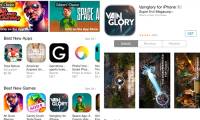
App Store changes 'Free' button with 'Get' button
apple has just changed the free button with the get button on the app store to avoid some misunderstandings that users may encounter when downloading applications.
-
The simple way to fix Google Play Store errors often encountered
google play store failed and you cannot download or update certain applications. the following article will show you how to fix the google play store error without downloading or updating the application.
-
Windows Store on Windows 10 is faulty, this is a fix
if someday you find your windows store suddenly stopped working, refused to boot, crash, failed to download the application, the error does not update the application, then don't be too worried, here are the basic measures for you to fix errors appearing on windows store, including errors suddenly
-
The best Google Play Store tips and tricks for Android users
for many, google play store is just a 'supermarket' app: find the app, click install to download. however, play store has a lot of little-known features and secrets, which can help you enjoy android quickly. here are some tips and tricks that make managing applications easier on android devices.
-
How to fix 0x80080005 to install UWP application on Microsoft Store
some users who install or update uwp applications on microsoft store windows 10 will encounter errors 0x80080005, making the application installation impossible.
-
How to Download Free Apps on the App Store
there are thousands of free apps for iphone, ipad and ipod users. these applications can be completely free or a trial, trial, or shortened version of a full paid product. taking advantage of free apps can save you quite a bit of money in the long run, which you can download directly from the app
-
How to Download apps from Google Play to your computer
today's tipsmake will show you how to download android application packages from google play store to your windows computer. we can use android emulator software called 'bluestacks' to install and run applications directly from the play store. or, you can use the google chrome extension to download